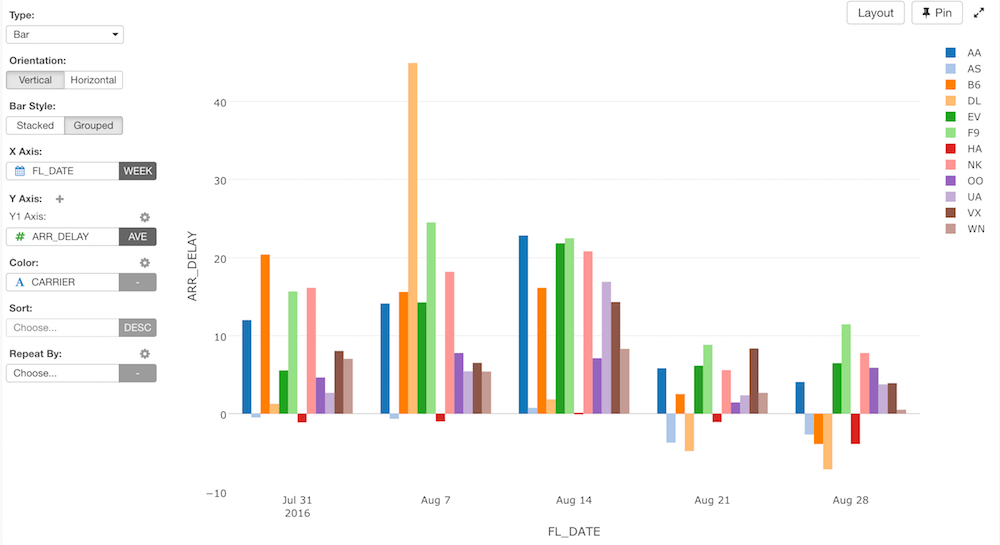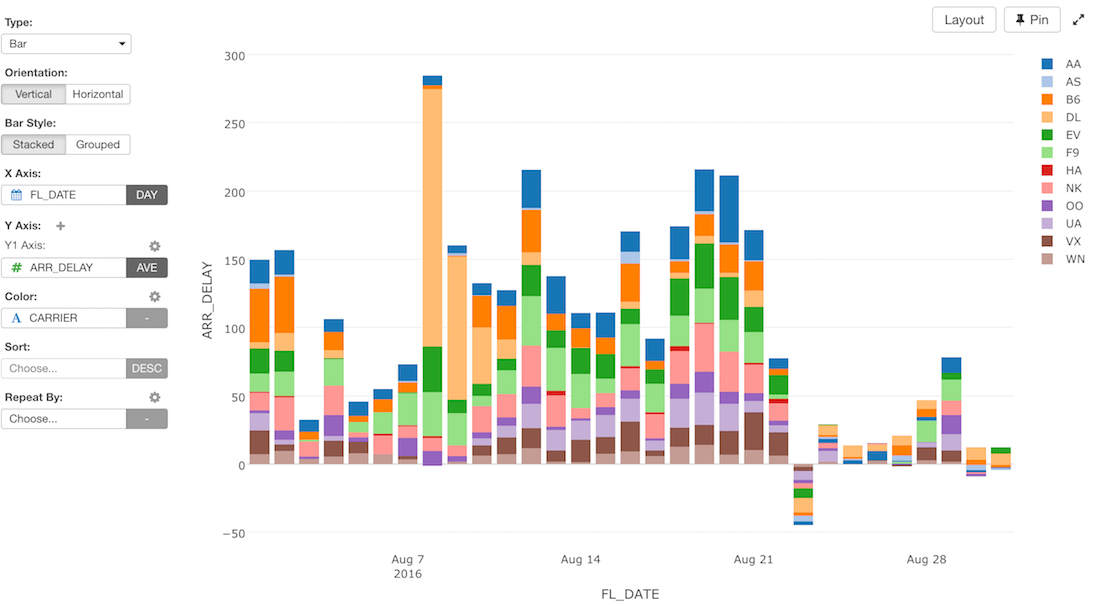
Column Assignments
- Orientation - You can choose a chart orientation. Either ‘Vertical’ or ‘Horizontal’.
- X-Axis - Assign a column you want to show at X-Axis. If it’s a Date / Time column assigned, you can select the aggregation level such as
Month,Week,Day, etc. If you assign a Number column, you can choose eitherAs Numberto treat values as continuous values orAs Textto treat values as categorical values. - Y-Axis - Assign a column you want to show at Y-Axis. If it’s a Numeric column assigned, you can set the aggregation function such as
Sum,Mean (Average), etc. to aggregate the values. You can also assign a Window Calculation from the gear icon on Y-Axis. Look at Window Calculation section for details. - Color - Take a look at Color section for more details.
- Sort By - Assign a column to use for Sorting the X-Axis values. The default is based on either the alphabetic order or the factor level order for Factor type columns.
- Repeat By - You can assign a column to repeat the chart for each of its values. Take a look at Repeat By section for more details.
Orientation - Vertical vs. Horizontal
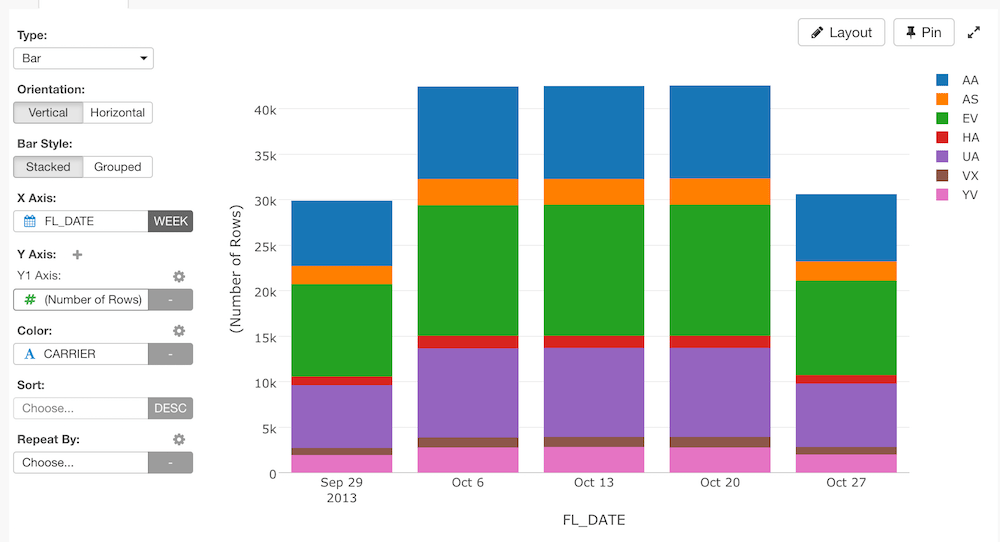
You can select from one of the following orientations. The default isVertical.
Vertical
Horizontal
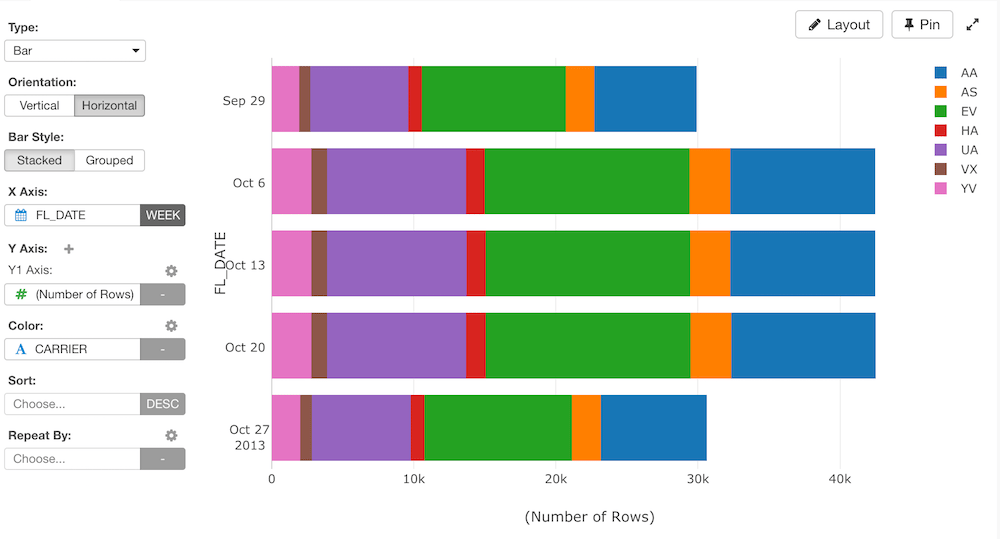
- In this orientation type, X-Axis goes vertically and Y-Axis goes horizontally in order to make it easy to switch between horizontal and vertical orientation.
- At this moment, the horizontal orientation doesn’t support Repeat By.
Bar Type - Stacked vs. Grouped
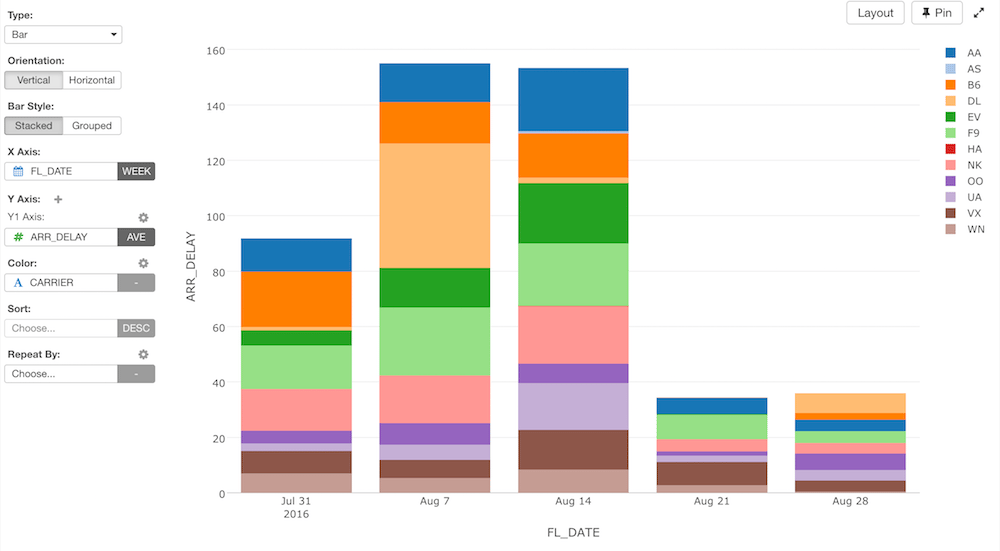
You can select from one of the following bar types. The default isStacked.
Stacked
Grouped