How to Share Data with Steps
You can simply click ‘Publish’ button in any Step.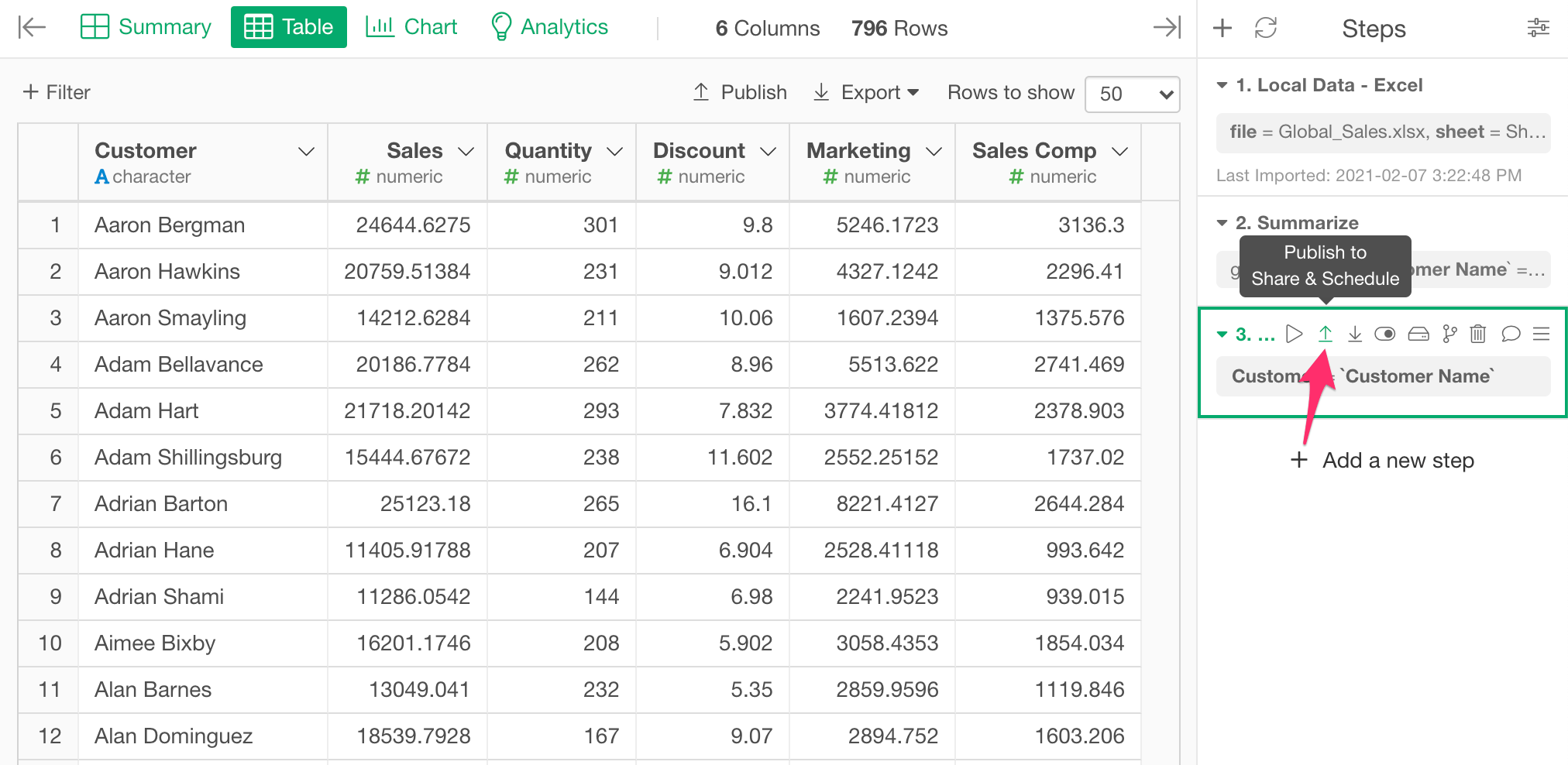
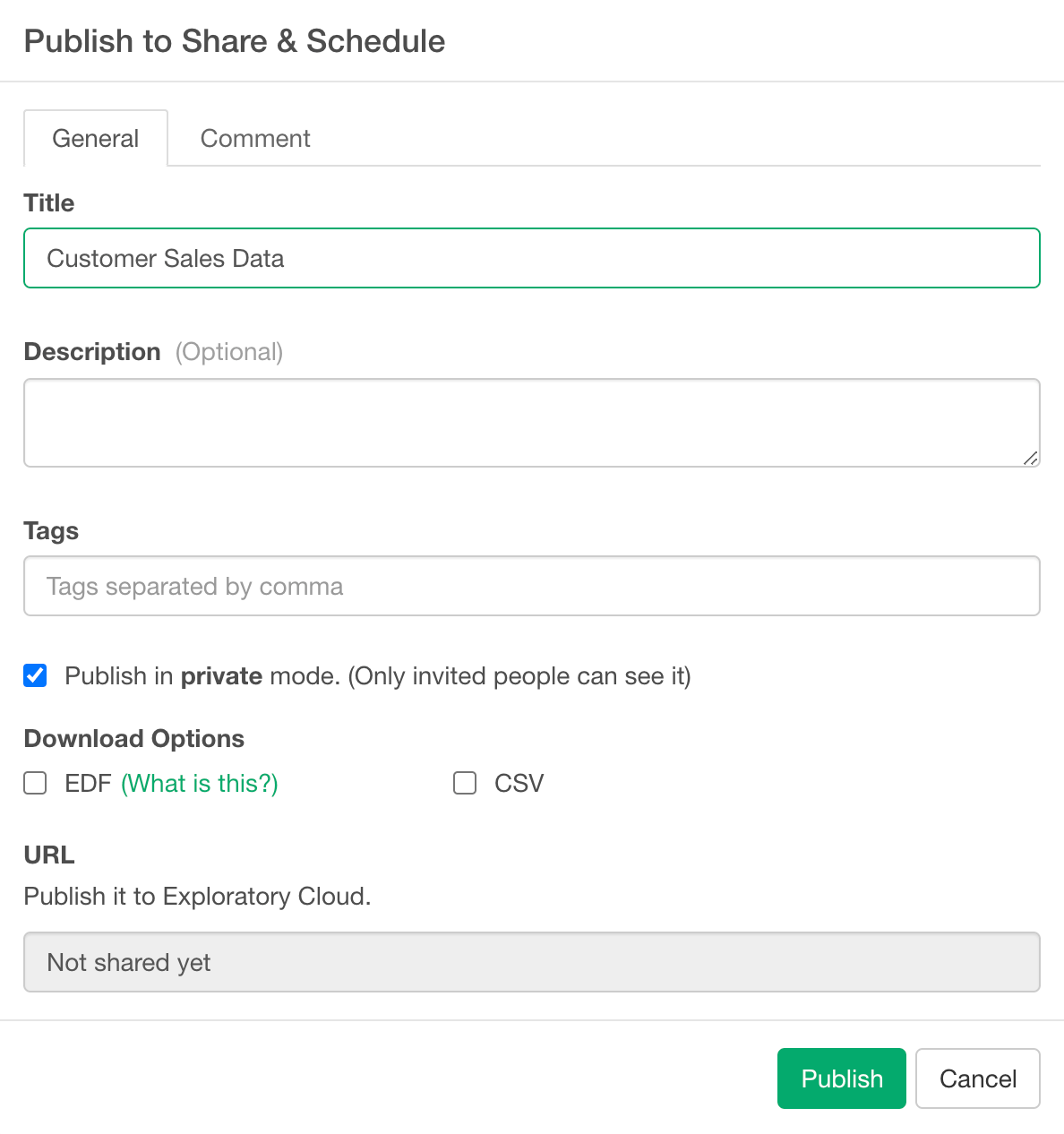
- Title: Title of the data.
- Description: Description of the data.
- Tags: Tag words separated by comma. It is useful for other people to search this data by the keywords.
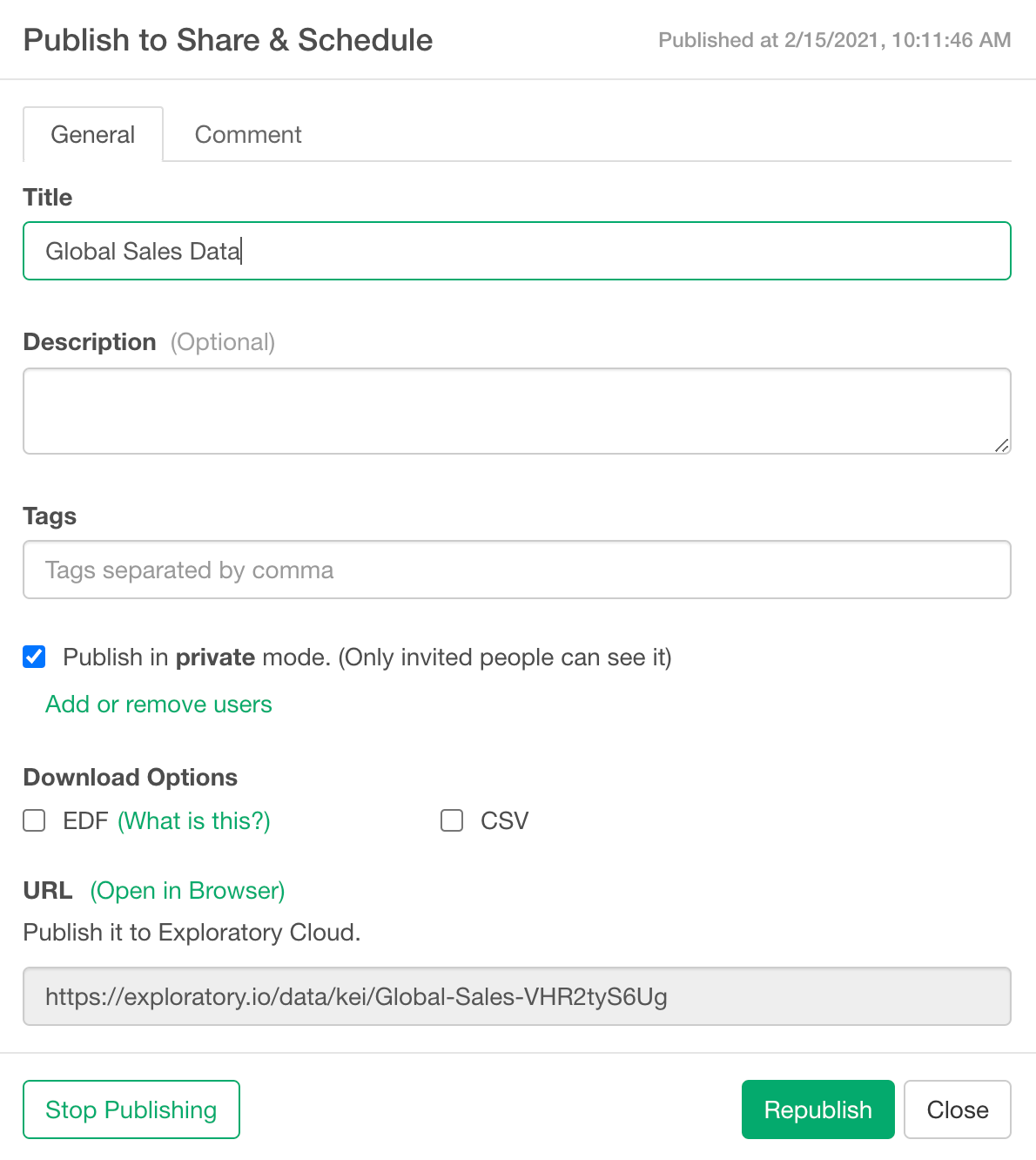
- Publish in private mode: If you check this checkbox, this data will be published and shared privately. Only the people that you invite can see the published data on the server.
- Download Options
- EDF: If you check this, it enables the EDF file download from the published data page on the server. EDF stands for “Exploratory Data Format”. It is a data exchange format between Exploratory Desktops. It includes metadata information to reproduce the data.
- CSV: If you check this, it enables the CSV file download and CSV API from the published chart page on the server.
- URL: This is a read-only field. The URL for the published data will show up here once you publish the data.