
1. Select JSON File Data Menu
Click ’+’ button next to ‘Data Frames’ and select ‘Import File Data’.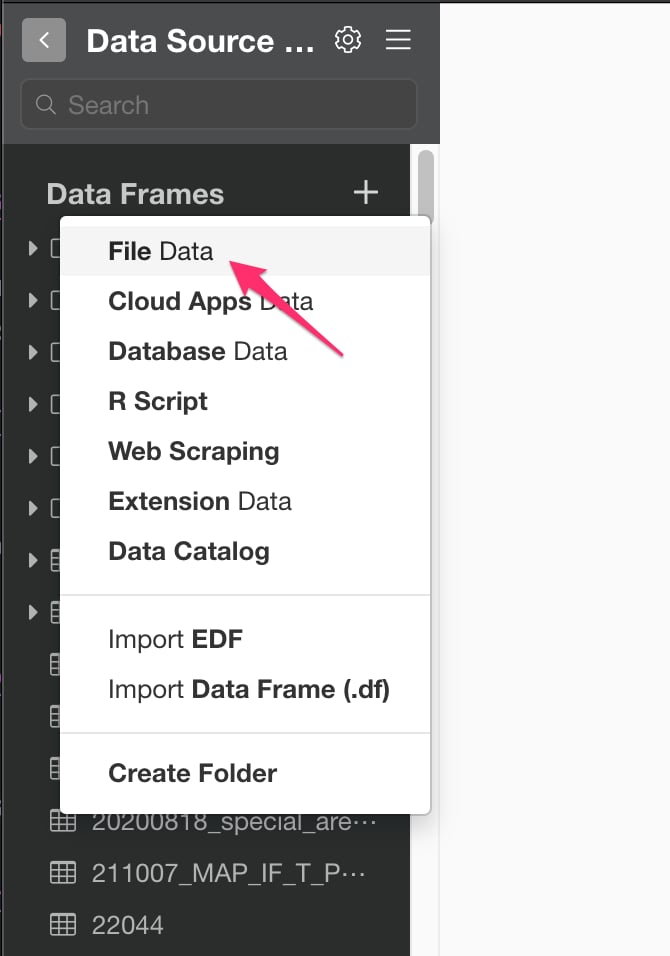
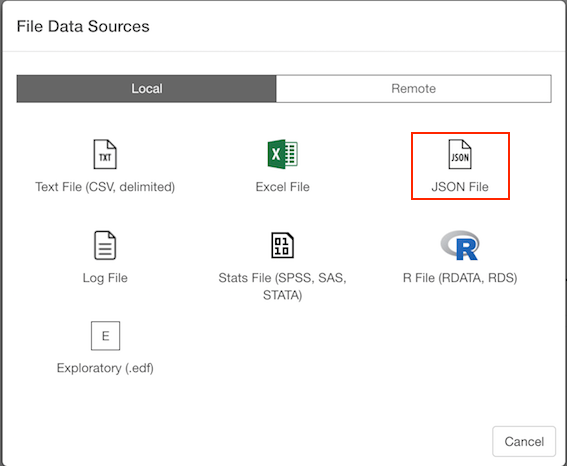
2. Select File.
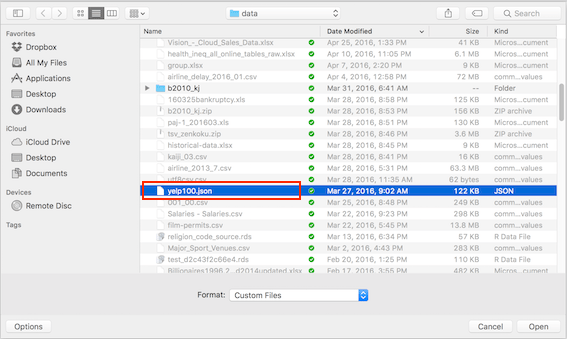
If you select local, file picker shows up so select a file to import.2.1 Local File
2.2 Remote File
if you select remote, small dialog shows up so enter a URL for the file. Enter either json file URL or REST API endpoint URL that returns JSON as response.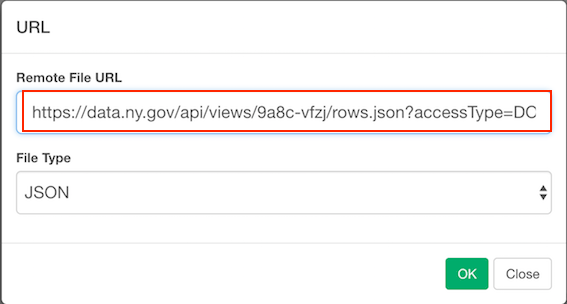
3. JSON Tree
JSON Tree and Preview sections are same for both local and remote.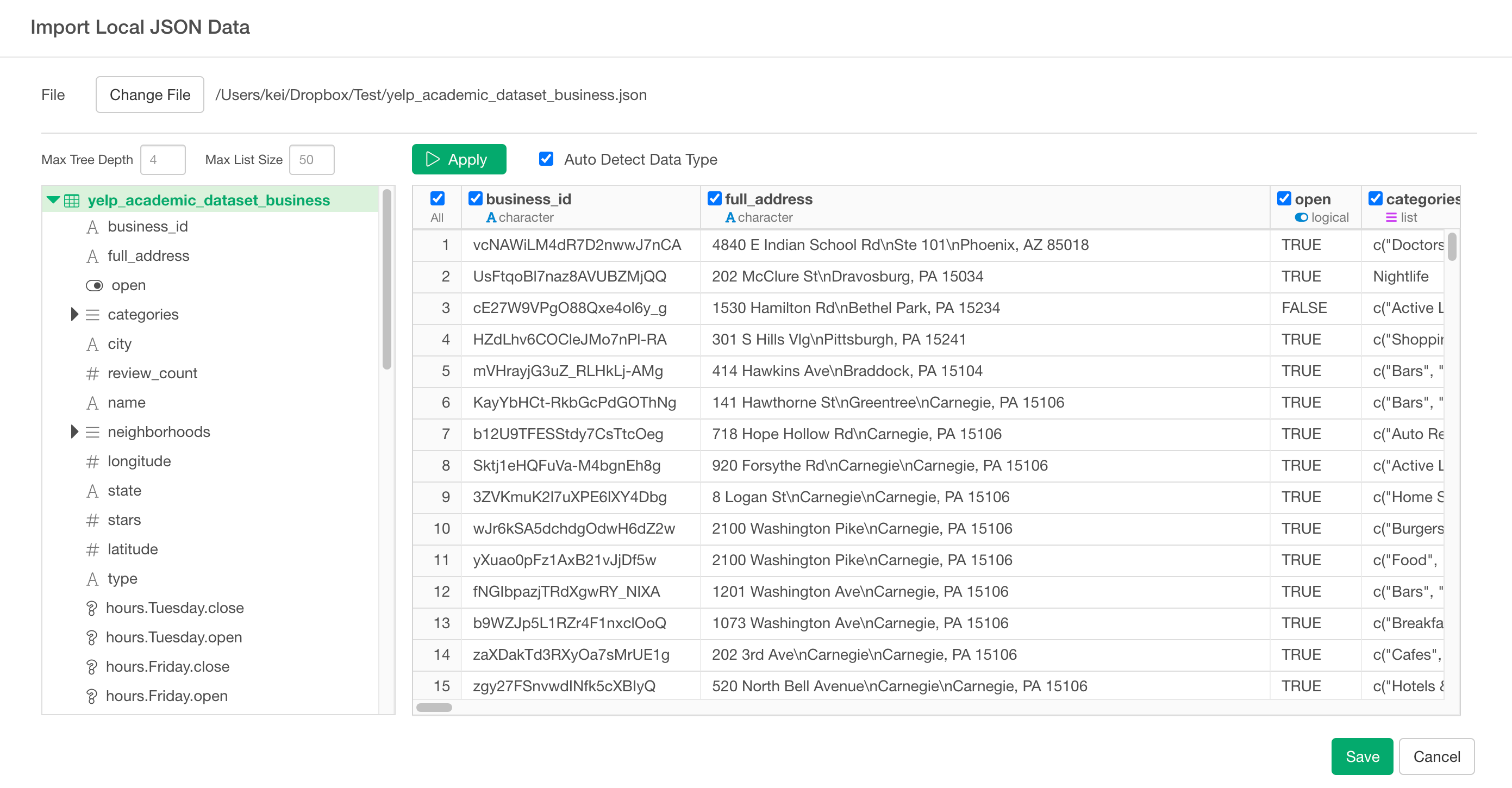
- Max Tree Depth: How deep you want to show the tree structure. If your JSON tree structure is deep and you want to see the deeper levels, increase this. If you increase this, it may take time to load the tree.
- Max List Size: How many list items to show in the tree. If you want to see more list items in the list data type in your JSON tree, increase this. If you increase this, it may take time to load the tree.