1. Select CSV / Delimited File Data Menu
Click ’+’ button next to ‘Data Frames’ and select ‘Import File Data’.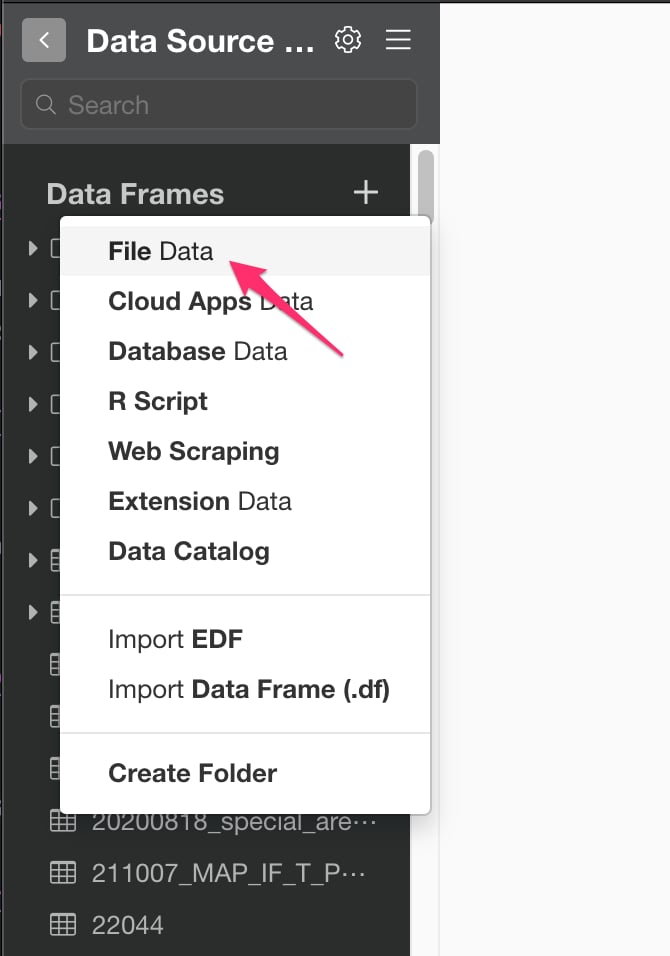
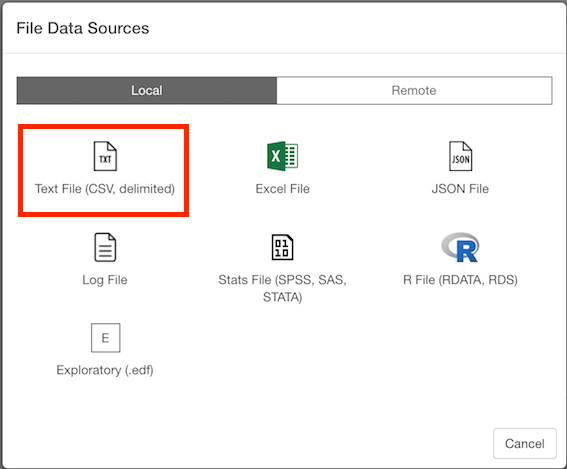
2. Select File.
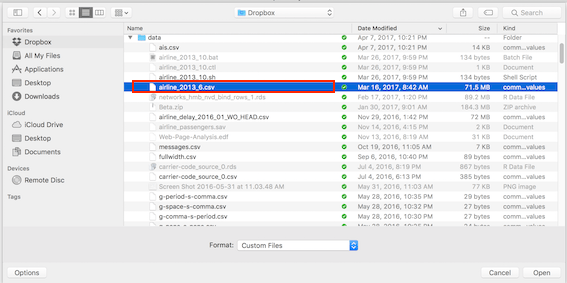
If you select local, file picker shows up so select a file to import.2.1 Local File
2.2 Remote File
if you select remote, small dialog shows up so enter a URL for the file.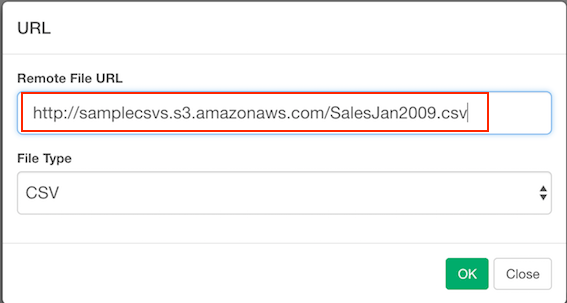
3. Input parameters
Input parameters are same for local and remote file import.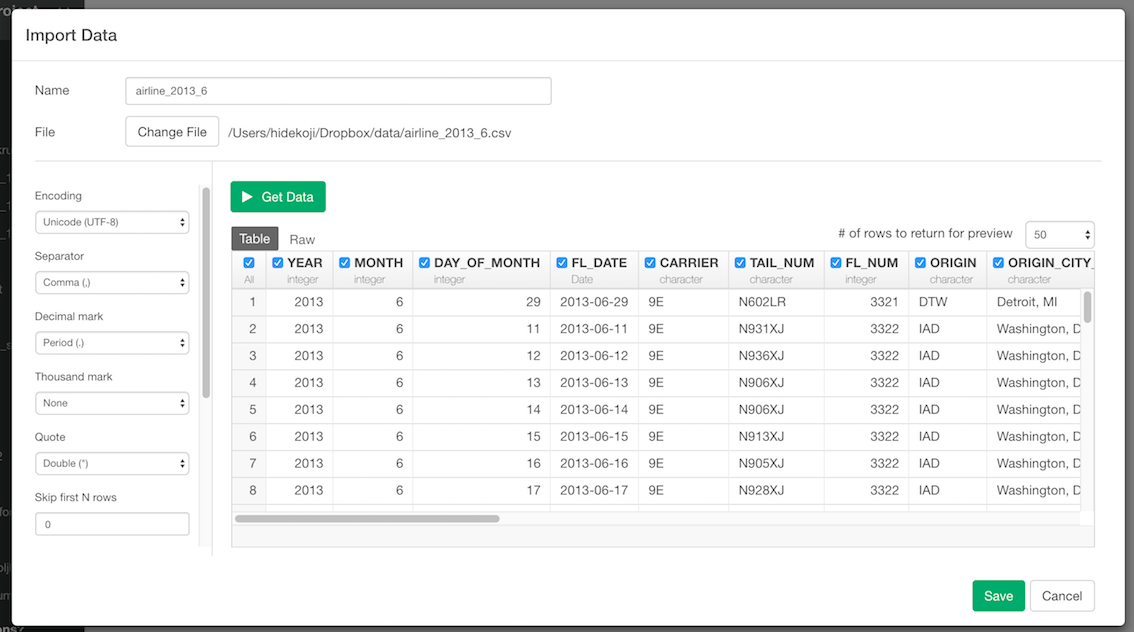
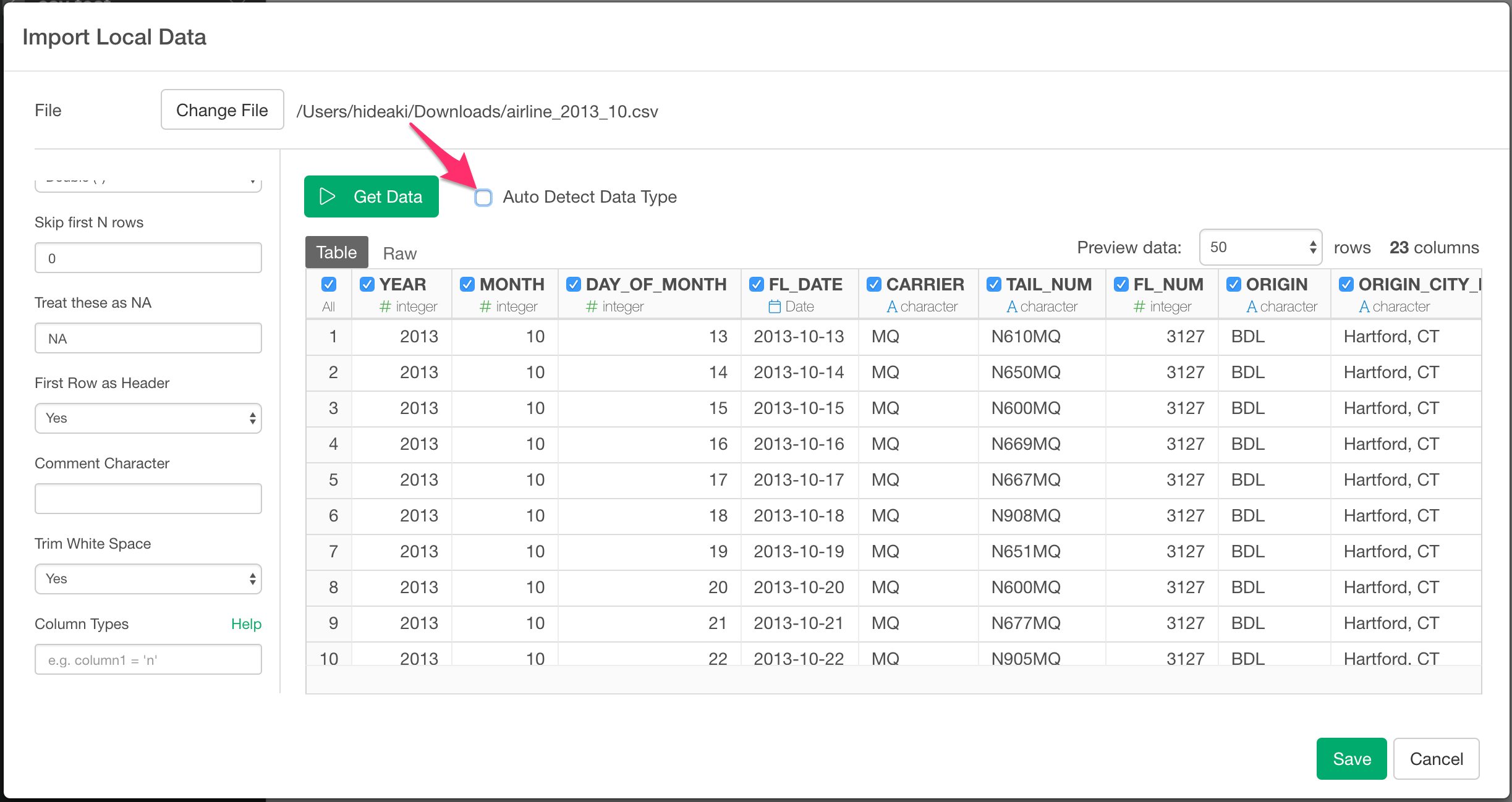
- Encoding - File Encoding. By default, it shows best guessed encoding for you. you can manually select a correct one from pulldown list if default guessed encoding is not correct.
- Separator - Single character used to separate fields within a record.
- Decimal mark - Decimal mark used for numeric values in the CSV / Delimited File.
- Thousand mark - Thousand mark used in numeric vales in the CSV/ Delimited File
- Quote - Single character used to quote strings. Either double or Single
- Skip first N rows - Number of lines to skip before reading data.
- Treat these as NA - String(s) to use for missing values. Use comma(,) to enter multiple Strings. (e.g: N/A, Not Applicable)
- First Row as Header - Either TRUE or FALSE. If TRUE, the first row of the input will be used as the column names, and will not be included in the data frame. If FALSE, column names will be generated automatically: X1, X2, X3 etc.
- Comment Character - A string used to identify comments. Any text after the comment characters will be silently ignored.
- Trim White Space - Should leading and trailing whitespace be trimmed from each field before parsing it?
- Column Types - See below section for details.
4. Column Types
you can override column type by passing column name and data type pair with columnName = 'type' syntax.
For Example, if value column is detected as integer but you want to import it as double, you can set value = 'd'. (d is for double). If you want to override multiple column types, you can do so by separating each pair with comma(,) like this. key = 'i', value = 'd'
Supported data types for overrides are:
- c (character)
- i (integer)
- n (number)
- d (double)
- l (logical)
- D (date)
- T (Date time)
- t (time)