
How to Access This Feature
From + (plus) Button
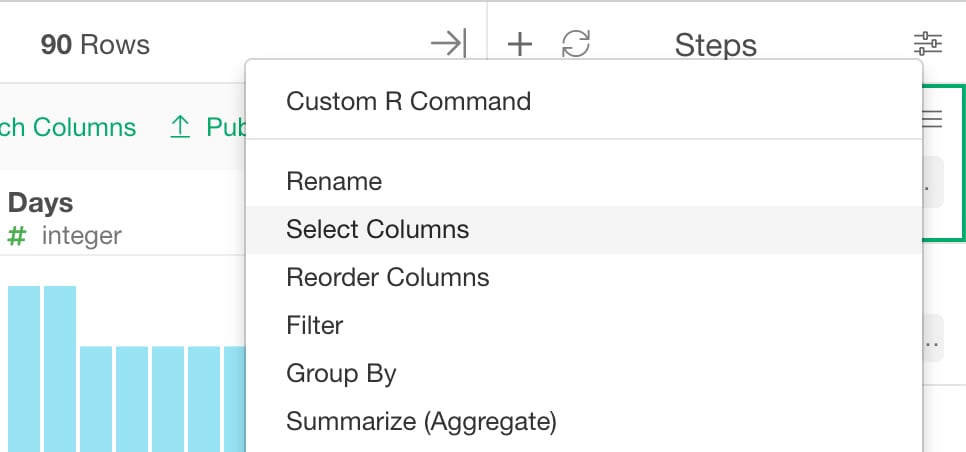
- Click ”+” button and select “Select”.
From Column Menu
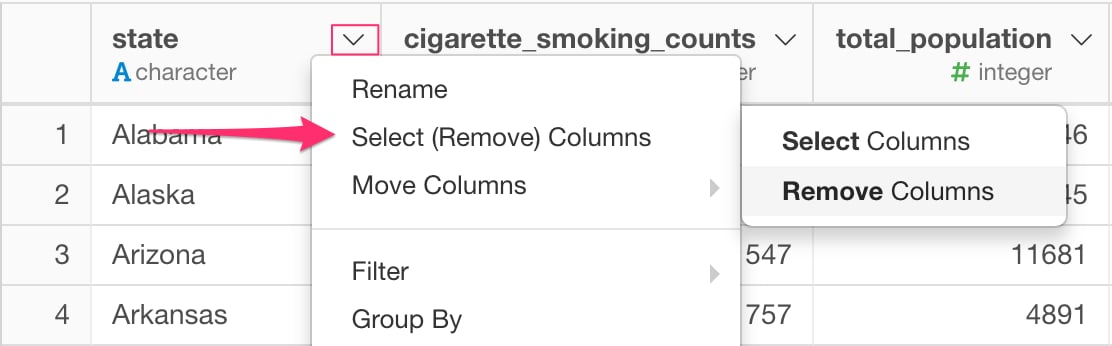
- You can also select “select (Remove) Columns” from column menu of the columns that you want to keep (or drop).
Select / Remove Columns by Manually Specifying Columns
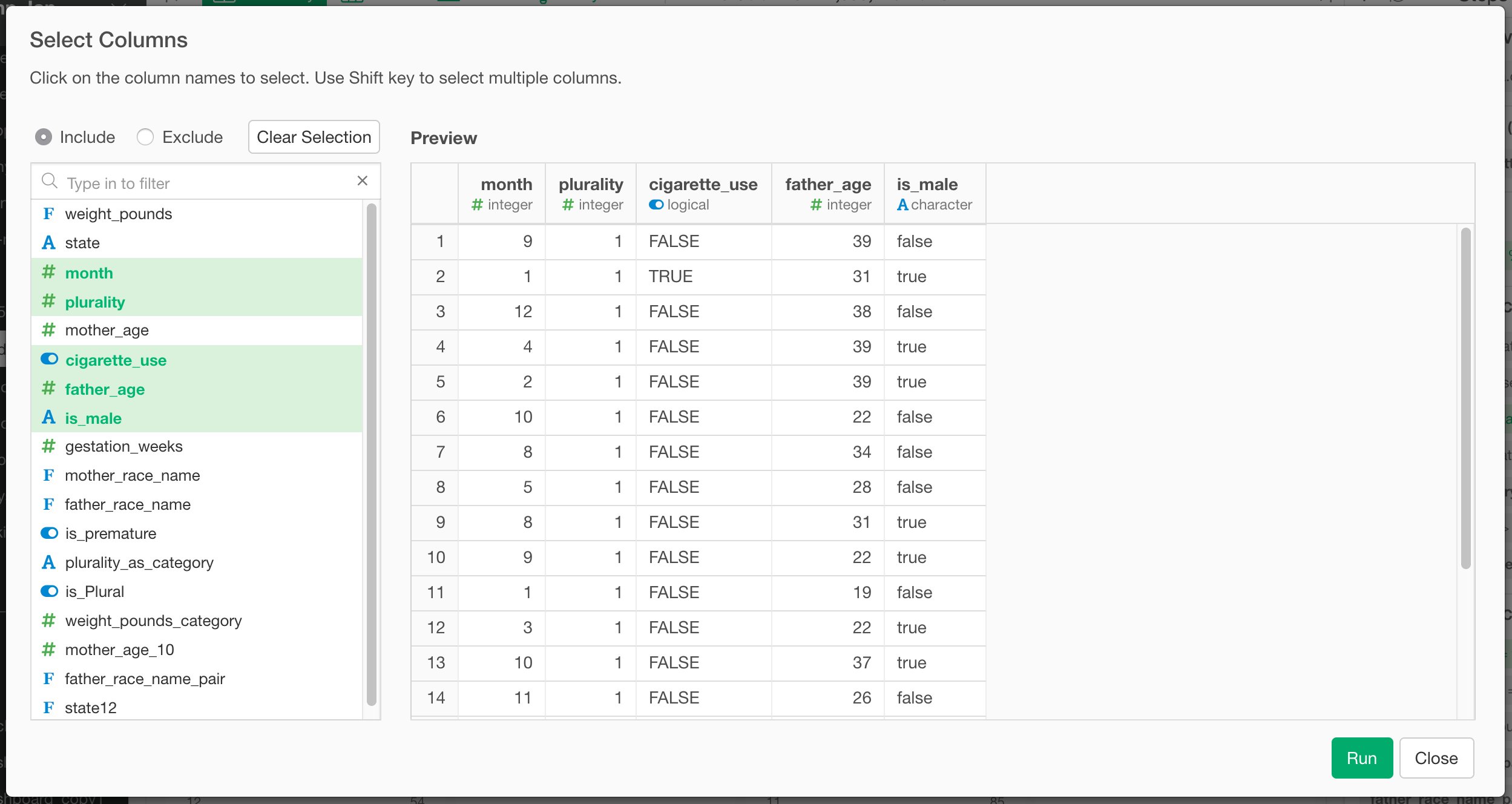
- Select “Include” or “Exclude” depending on whether you are selecting (Include) or removing (Exclude) columns.
- Click the column you want to select/remove. You can use Control + Click or Sift + Click to select multiple columns.