
How to Access This Feature
From + (plus) Button
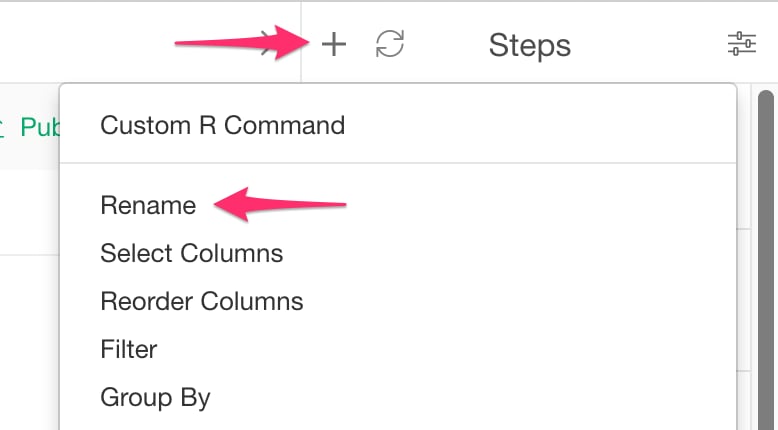
- Click ”+” button and select “Rename”.
From Column Menu
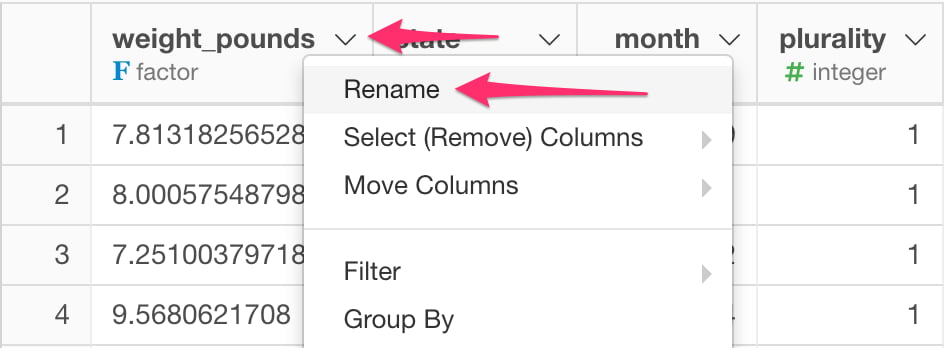
- You can also select “Rename” from column menu of the column to rename.
Rename
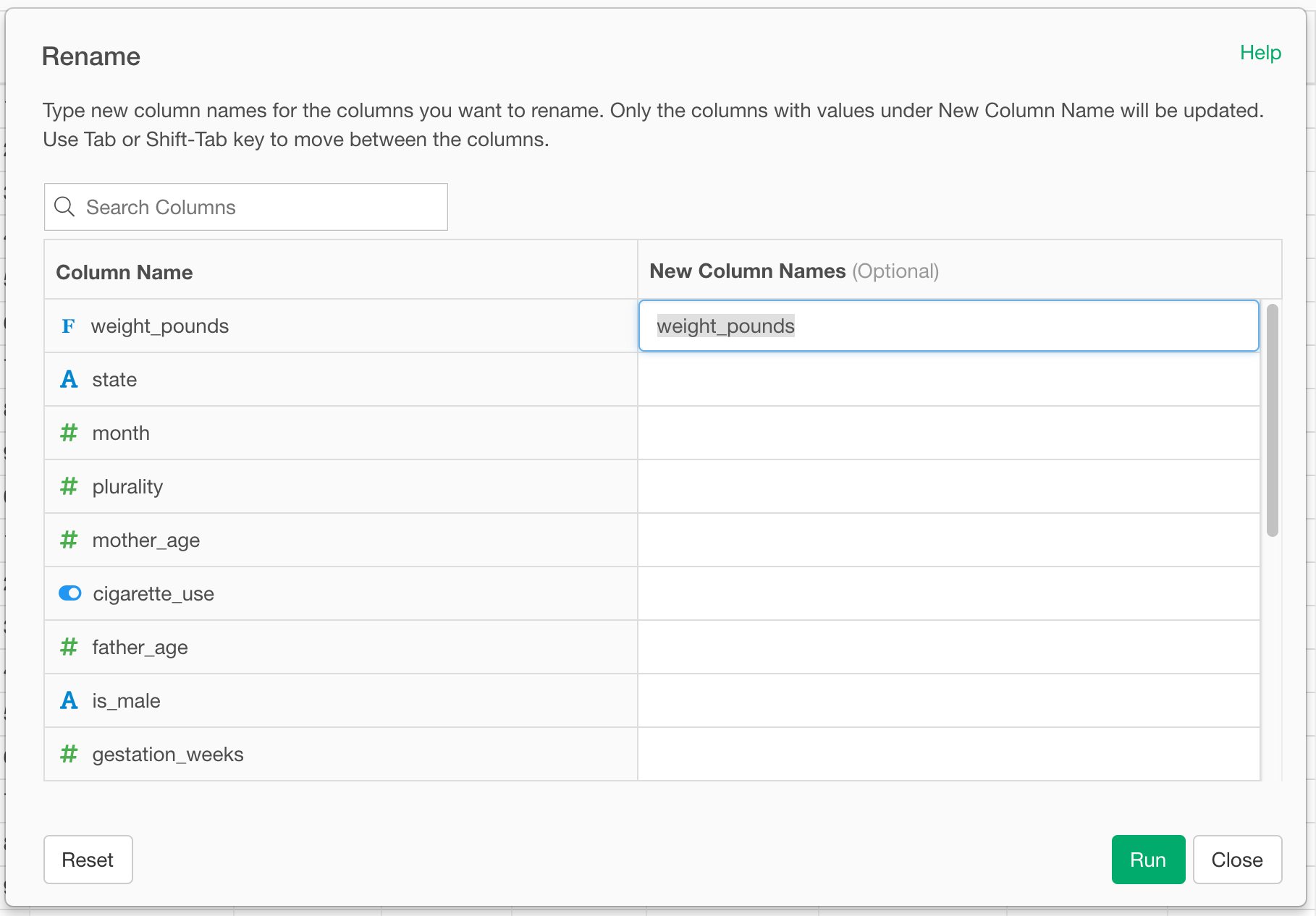
- Type in the new name for the column in “New Column Name” field.
- Click “Run” to rename the column.