
How to Access This Feature
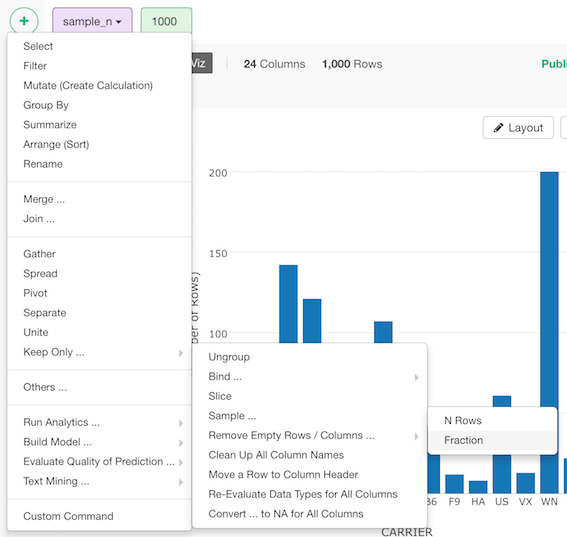
Sample (N Rows)
- Click ”+” button and select “Others …” -> “Sample …” -> N Rows
Sample (Fraction)
- Click ”+” button and select “Others …” -> “Sample …” -> Fraction
Sample (N Rows)
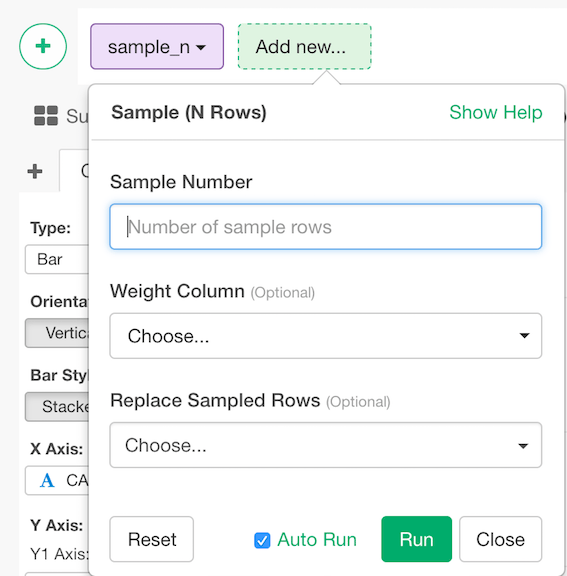
- Enter Sample Number - Number of rows you want to sample the data. (e.g. 10000)
- Select
Weight Colulmn(Optional) - Sampling weight. The ratio of probability the row should be chosen. This should be non-negative numeric vector whose size is the number of rows. It’s normalized so that the sum of the probability will be 1. - Replace Sampled Rows (Options) - The default is FALSE. If it’s TRUE, replacement will be executed when sampling.
- Click “Run” to Sample data frame.
Sample (Fraction)
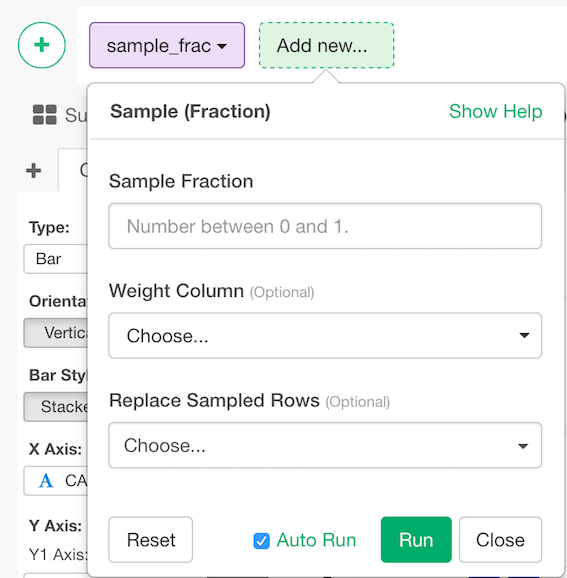
- Enter Sample Fraction ratio. It should be a numeric value between 0 and 1. (e.g. 0.4)
- Select
Weight Colulmn(Optional) - Sampling weight. The ratio of probability the row should be chosen. This should be non-negative numeric vector whose size is the number of rows. It’s normalized so that the sum of the probability will be 1. - Replace Sampled Rows (Options) - The default is FALSE. If it’s TRUE, replacement will be executed when sampling.
- Click “Run” to Sample data frame.