
How to Access This Feature
From + (plus) Button
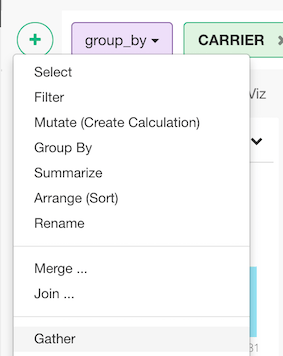
- Click ”+” button and select “Gather”.
From Column Menu
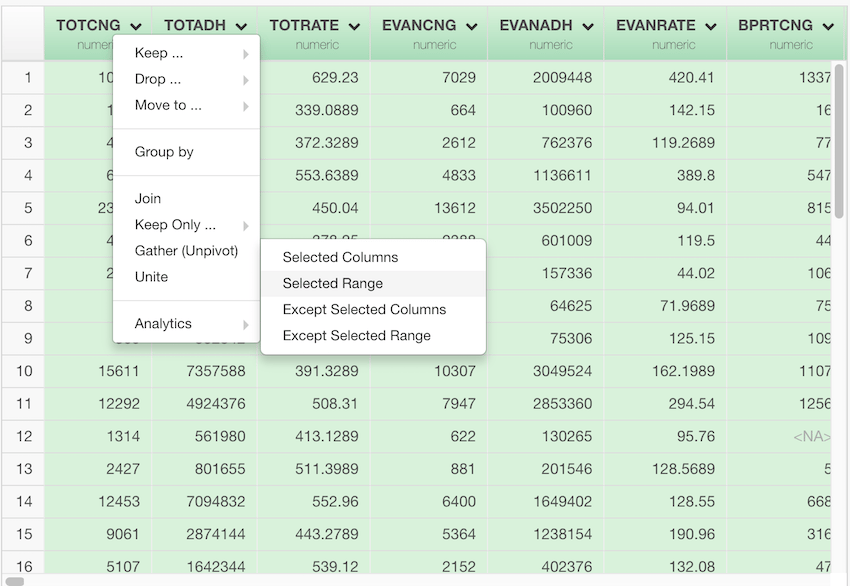
- You can also select columns to gather first, and then select “Gather (Unpivot)” from the column menu of one of the selected columns.
Gather (Unpivot) Columns into Key/Value Column Pair
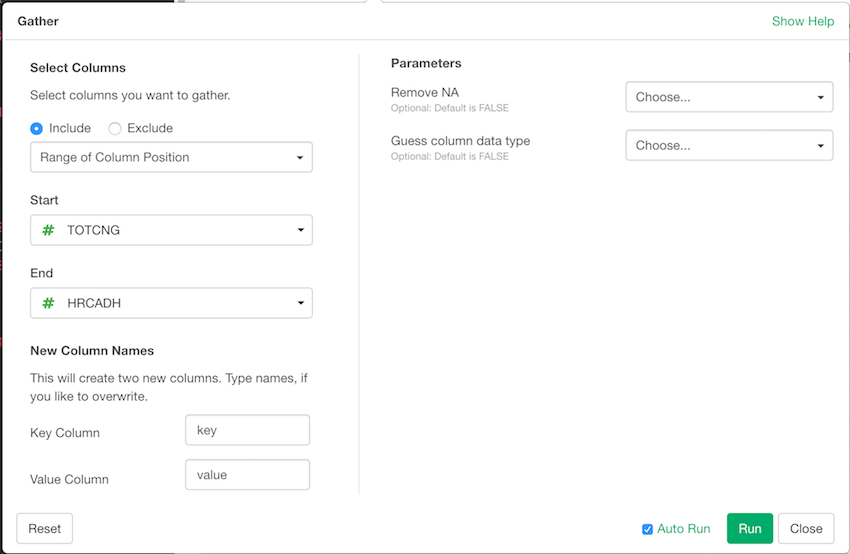
- Select Columns to Gather
- Select “Include” or “Exclude” depending on whether you are specifying the columns to gather or the columns not to gather.
- Select the rule for specifying the columns.
- Fill the rest of parameters in “Select Column” section.
- Specify names of Key/Value Columns to create by typing the names in “Key Column” and “Value Column” text fields.
- Specify parameters in the “Parameters” section.
- Remove NA - Select TRUE to remove NA rows from the result
- Guess column data type - Select TRUE to automatically guess the most possible data type for the key column.
- Click “Run” to gather columns into key/value column pair.