
Requirements
- An Exploratory account
- Grok Bot
- You do not need an API key or a client ID.
Steps
Open the custom connector form
This adds the MCP server only; it does not install the skill.- In Grok Bot’s sidebar, open the item for connecting apps.
- Scroll down and choose Add a custom connector.
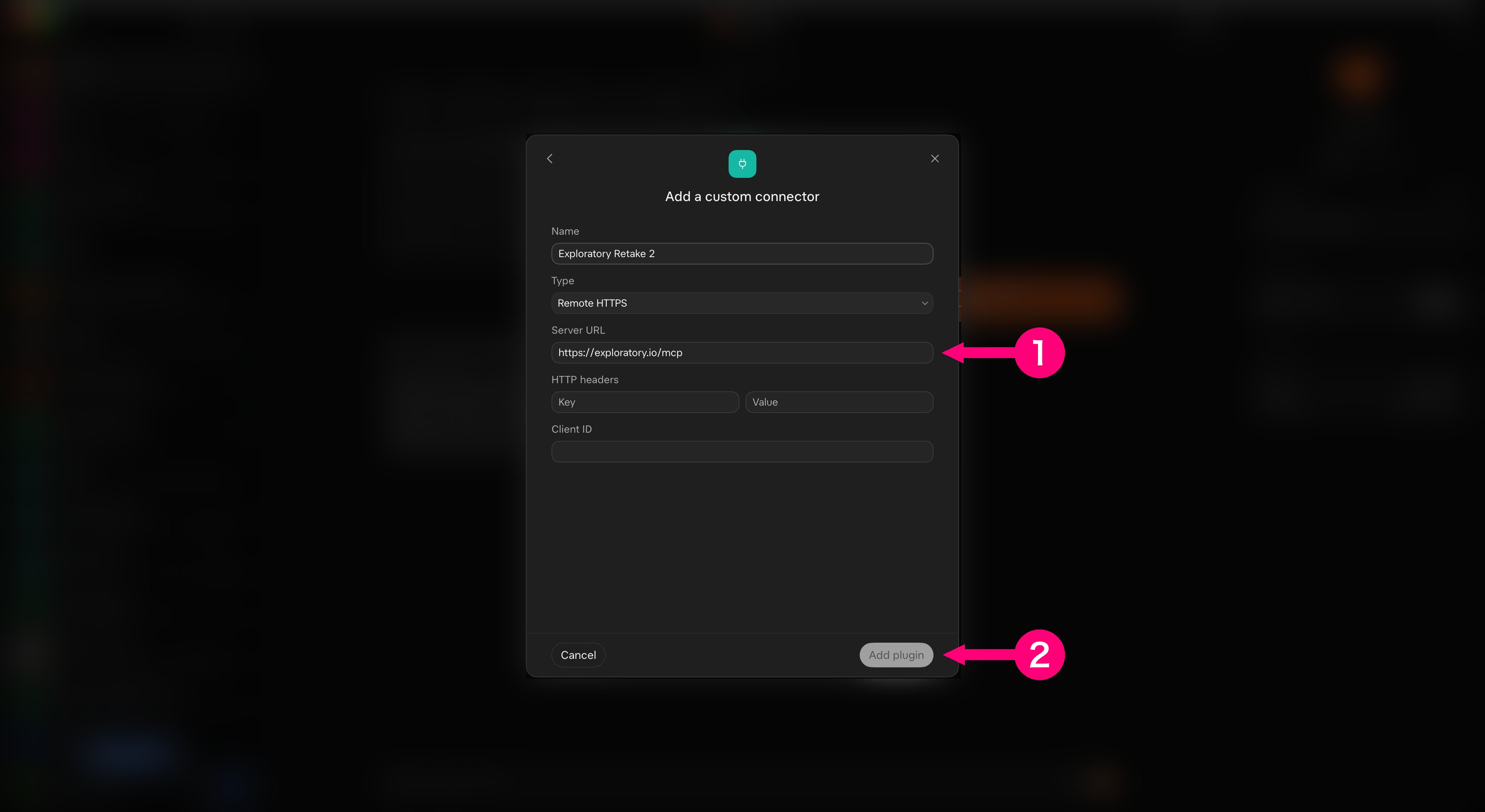
Fill in the form
Enter Exploratory as the Name, and keep the Type as Remote HTTPS. The image shows an example name.- In Server URL, enter
https://exploratory.io/mcp. - Choose Add plugin.
Check that it is connected
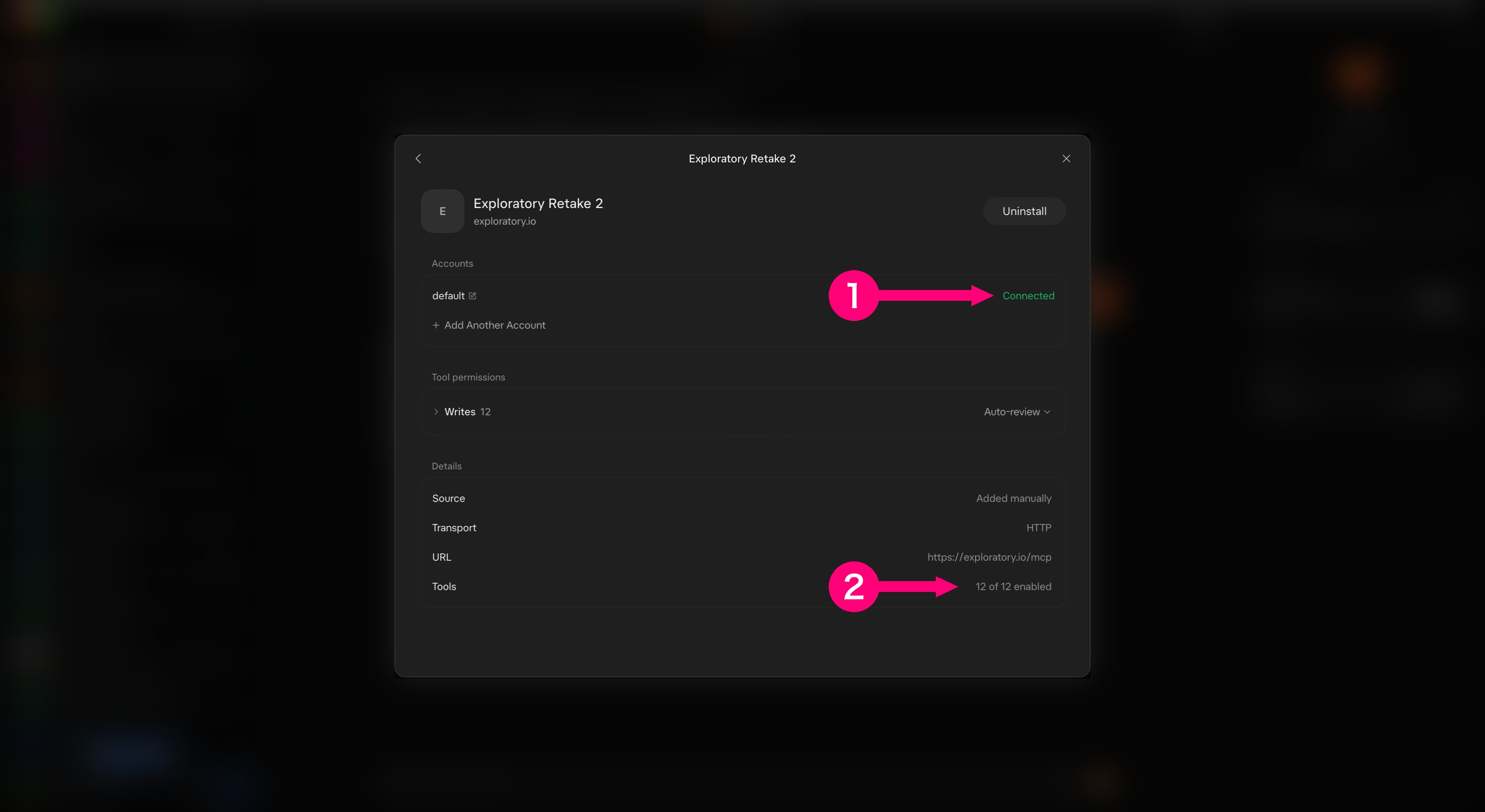
Open the connector you added and check its details.- Check that the account shows Connected.
- Check that Tools shows all the tools enabled (for example “12 of 12 enabled”). The number depends on the server settings; see Tools. Grok Bot lists these tools under its own “Write” permission group, but the tools of this server only read; dataframe_export only makes a download link.
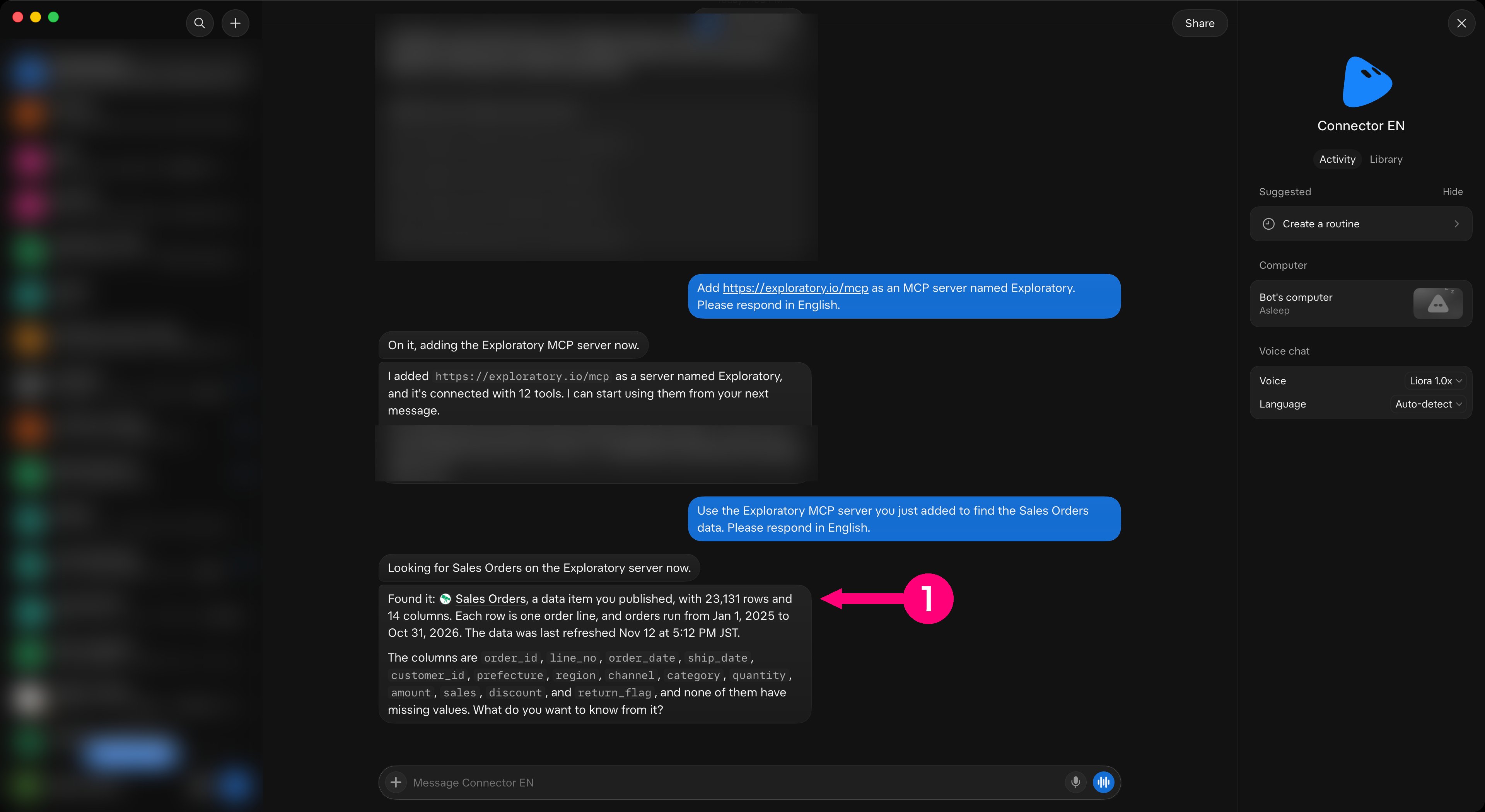
- Check the Sales Orders link in the reply.
Troubleshooting
- Troubleshooting - Fixes by symptom for the Server MCP as a whole.