
Requirements
- An Exploratory account
- The ChatGPT desktop app
Steps (desktop app)
Open the MCPs tab
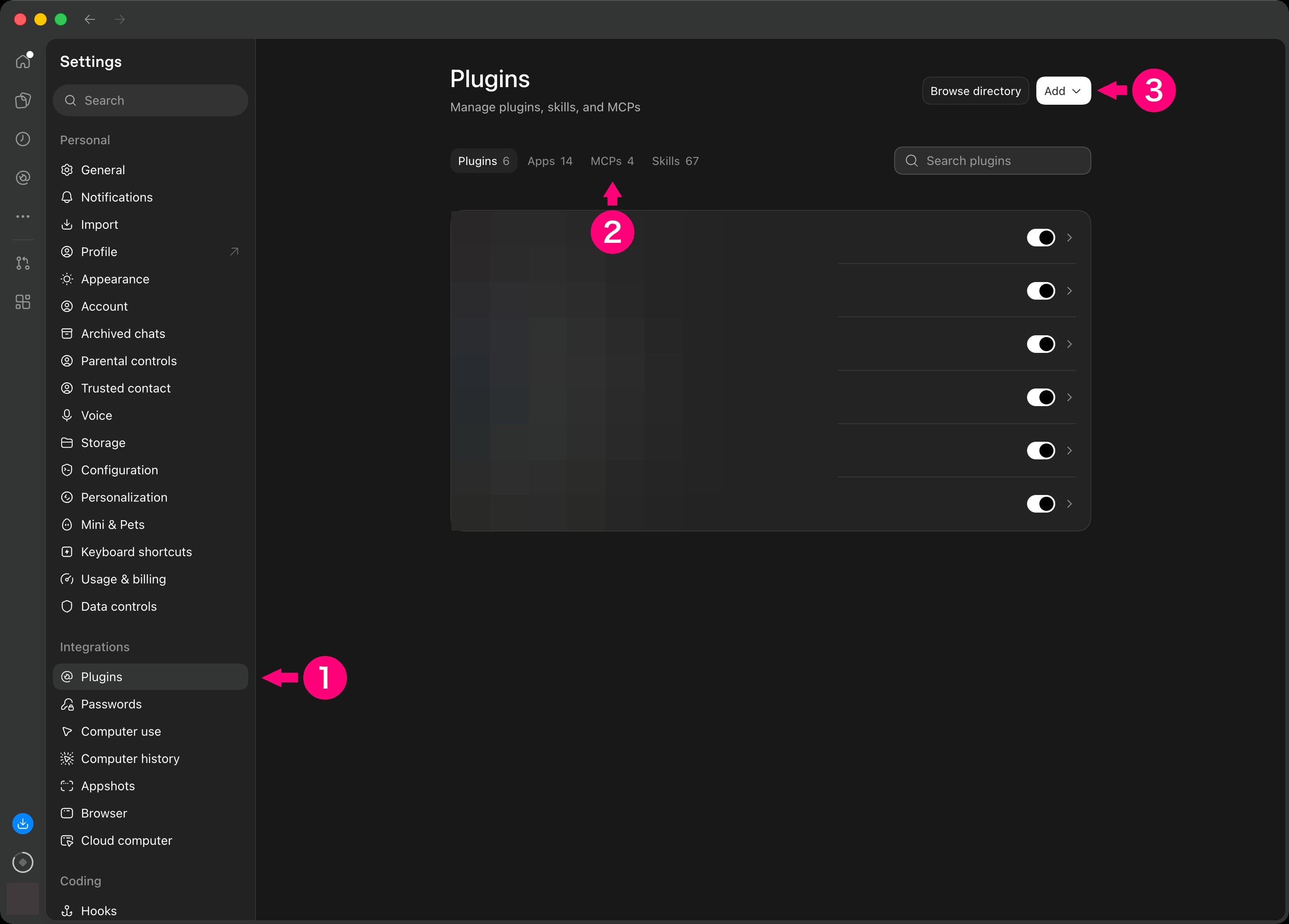
In the ChatGPT desktop app, open Settings.- In the menu on the left of settings, choose Plugins under Integrations.
- Choose the MCPs tab.
- Choose Add at the top right.
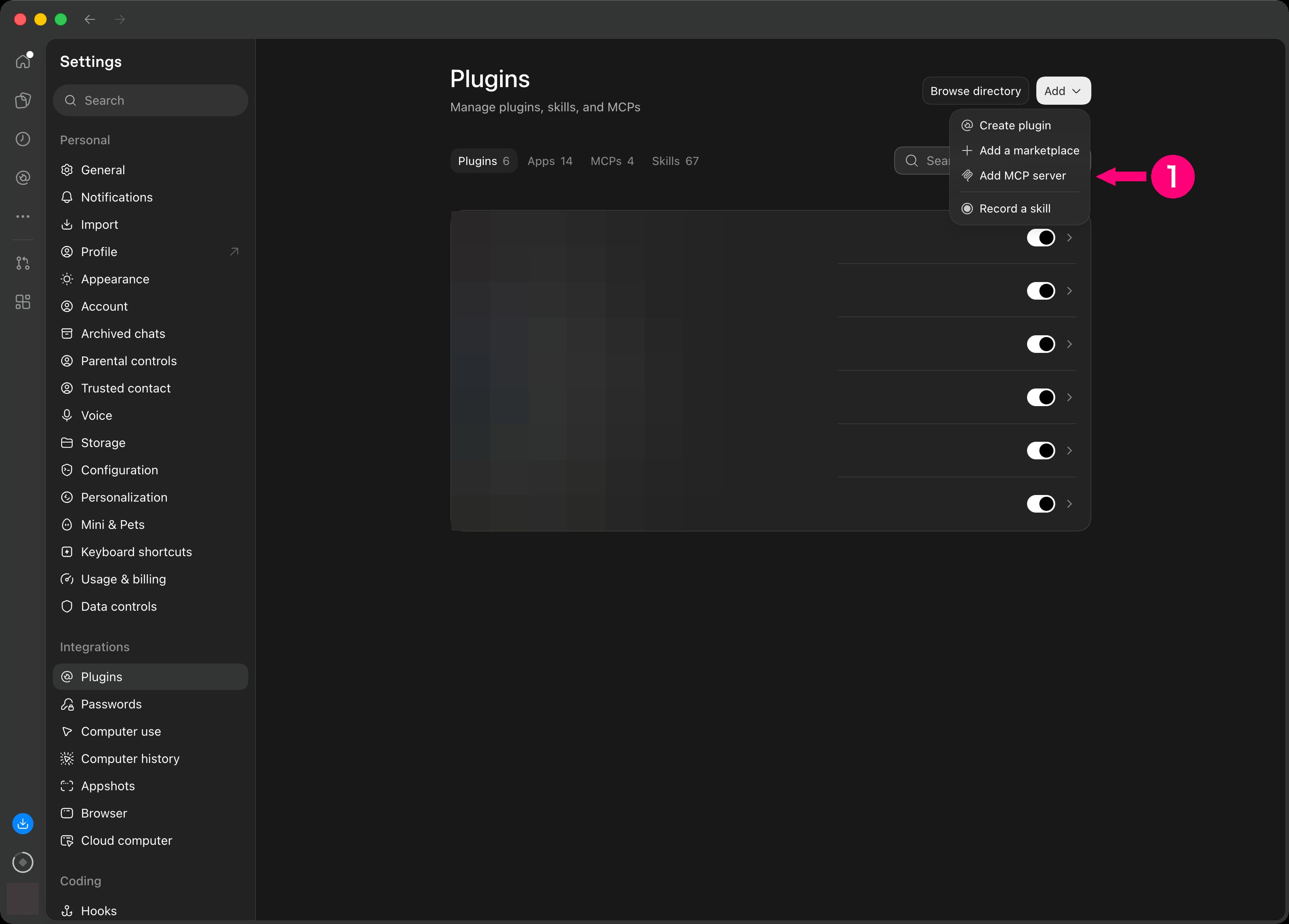
- Choose Add MCP server. The Connect to a custom MCP screen opens.
Enter the address
- In Name, enter
Exploratory. - For Type, choose Streamable HTTP.
- In URL, enter
https://exploratory.io/mcp.
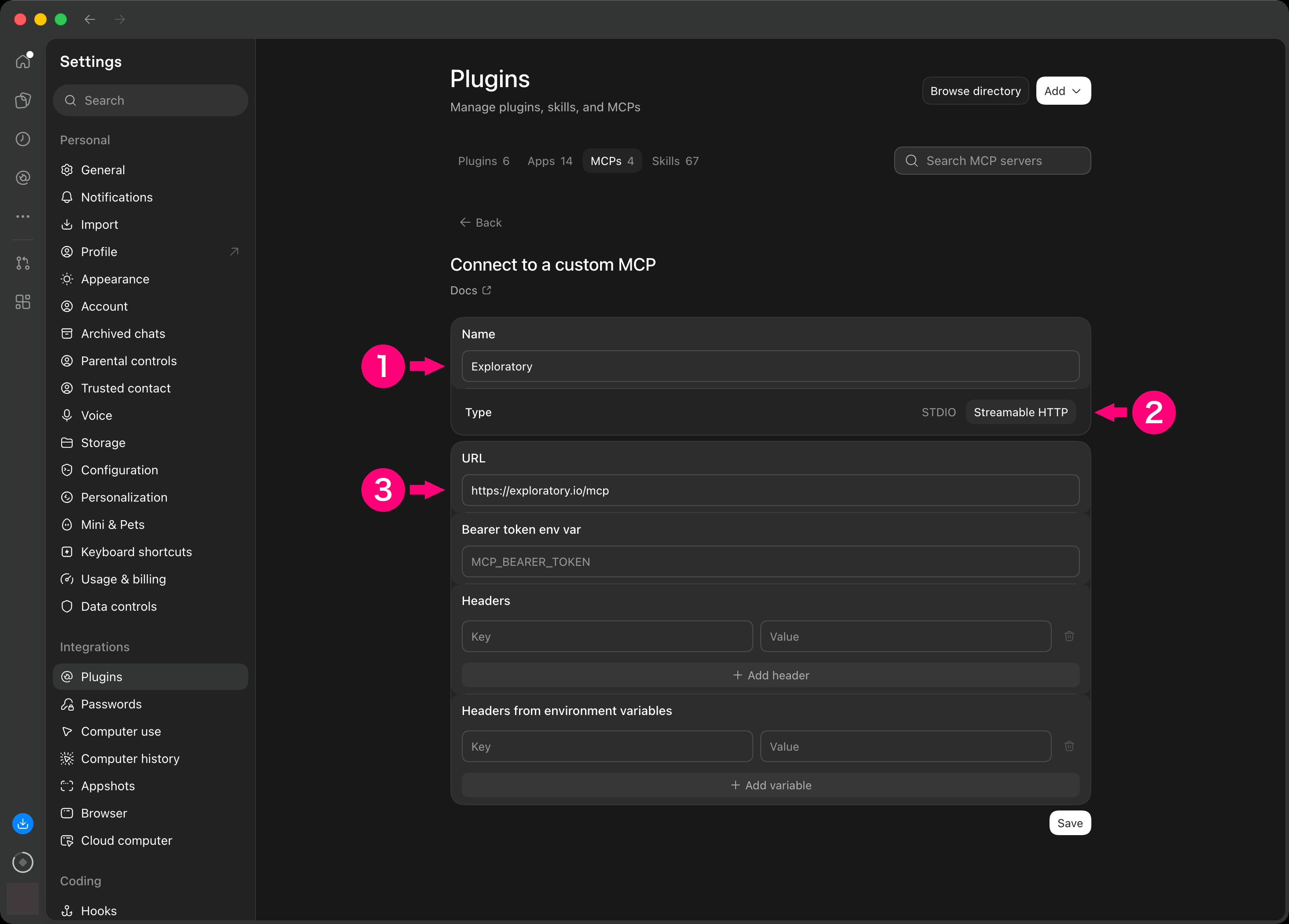
- Choose Save at the bottom right.
Restart and authenticate
The official documentation says: “Save the server, then select Restart.” and “Select Authenticate when an OAuth server requires sign-in.” If the labels on your screen differ, choose the button with the same meaning.- After you save, select Restart.
- When the list of servers shows that the server needs OAuth, select Authenticate.
Approve the access on exploratory.io
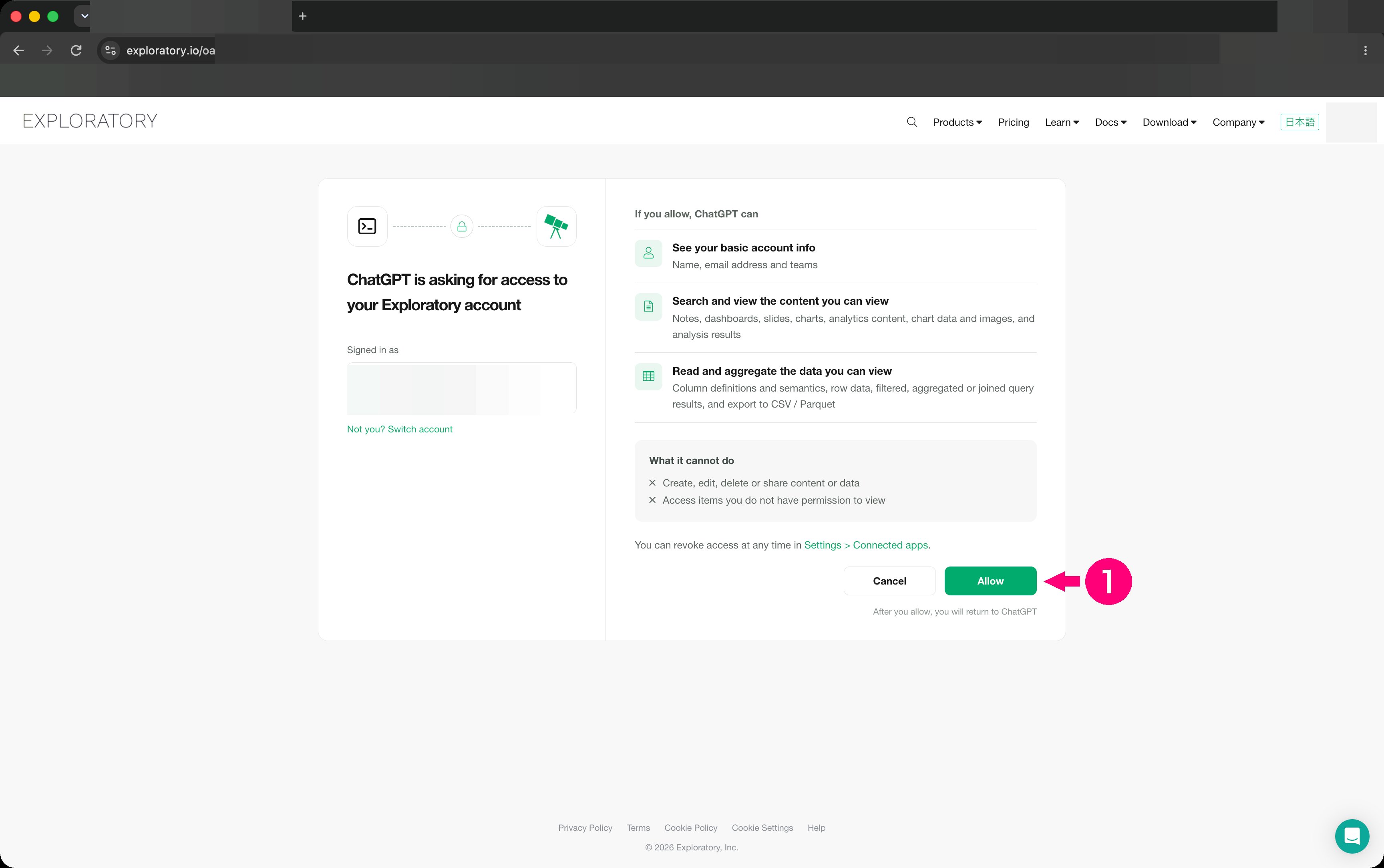
Your browser opens exploratory.io. If you are not signed in, sign in first.- On the screen where ChatGPT asks for access, choose Allow.
Check that it is connected
- Check the row of the server you added under Servers on the MCPs tab.
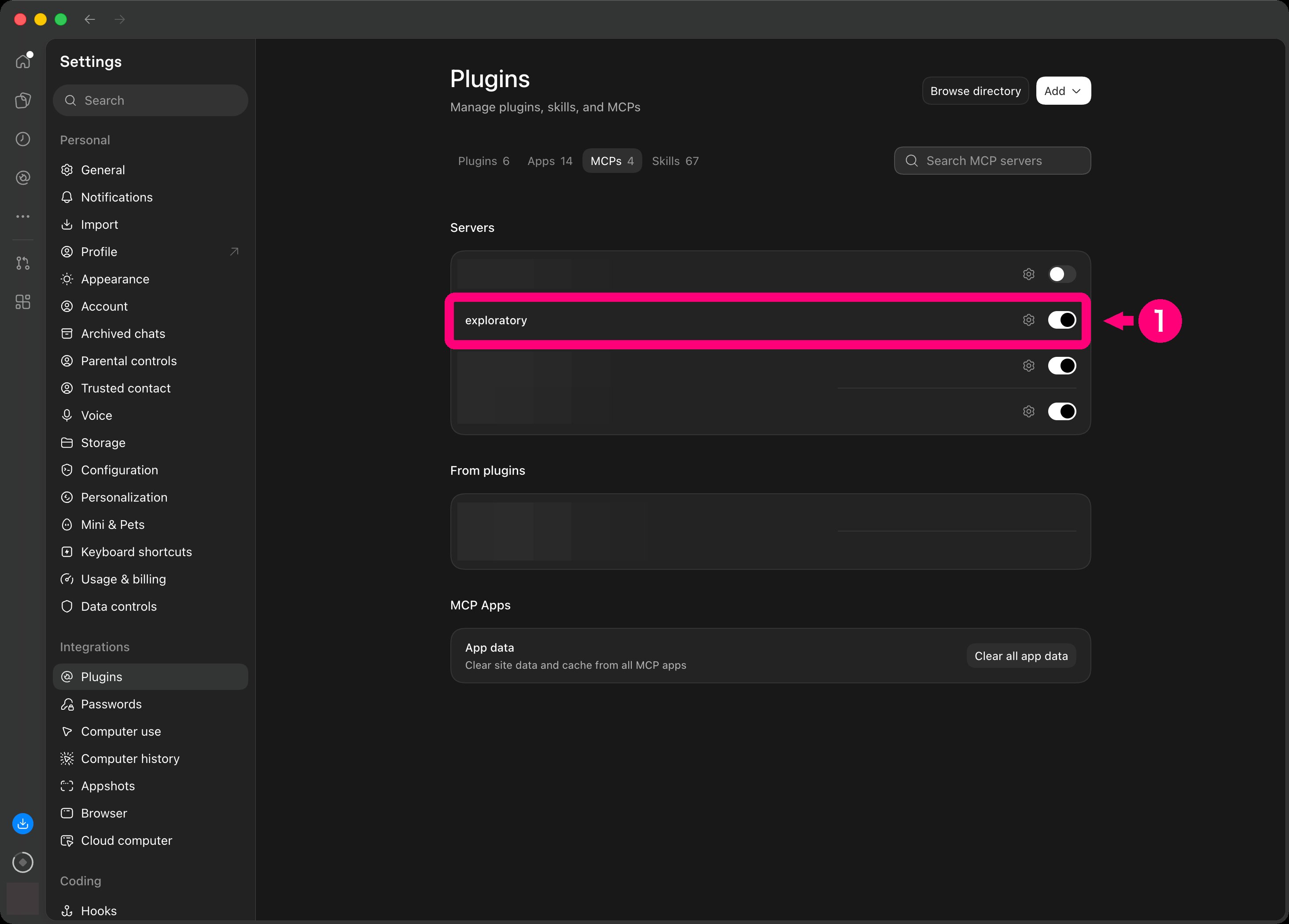
-
Type
/mcpin the chat box. It shows the connected servers. - Open a new chat.
-
Send this.
Add it on the web (chatgpt.com)
On the web, the screens for adding a server differ from the desktop app. This section describes the web steps.Open Plugins in Settings
In ChatGPT, open Settings.- Choose Plugins in Settings.
- Choose Browse directory. The Plugins screen under Customize opens.
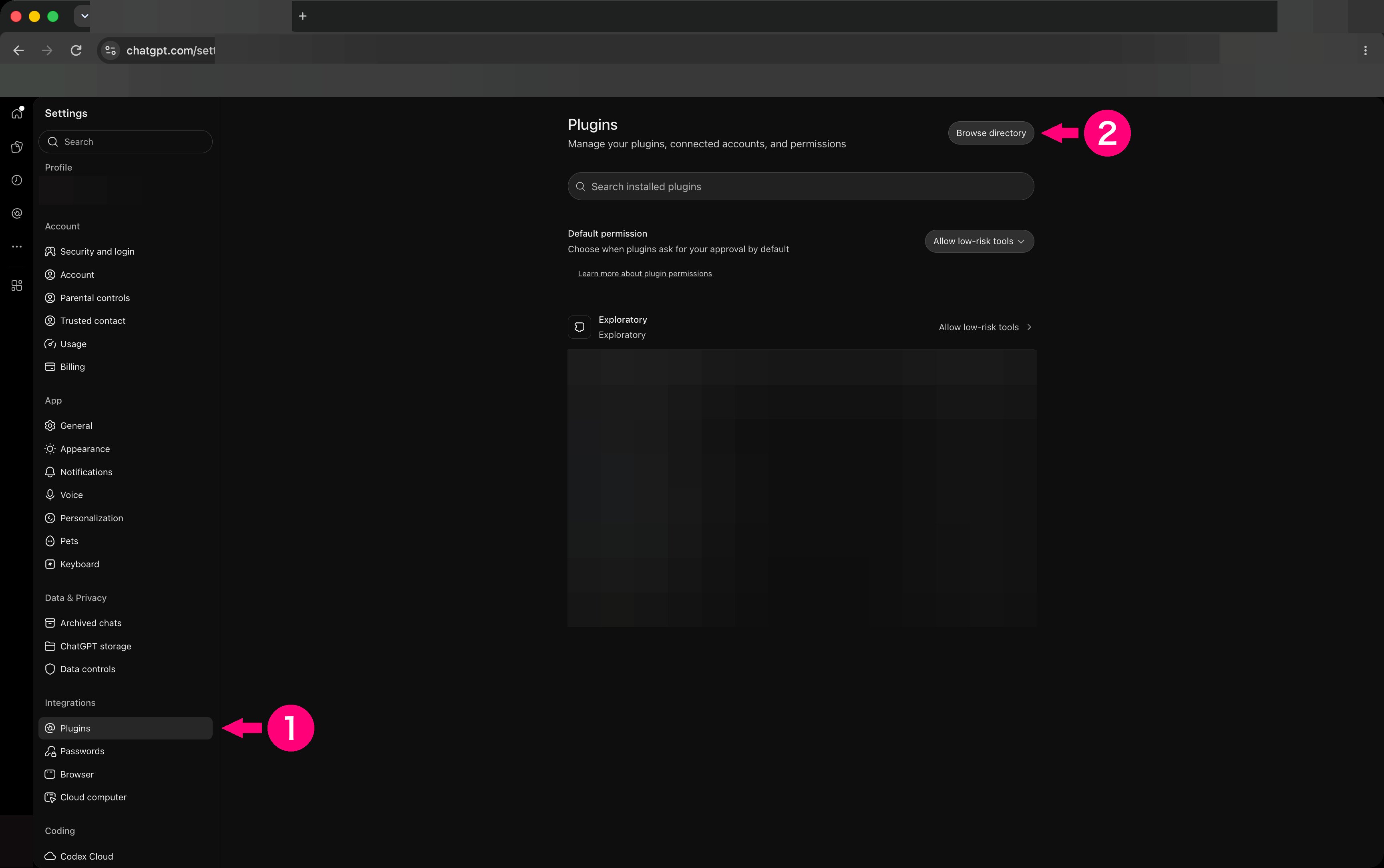
Open the Add menu
On the Plugins screen under Customize, do this.- Choose Add at the top right.
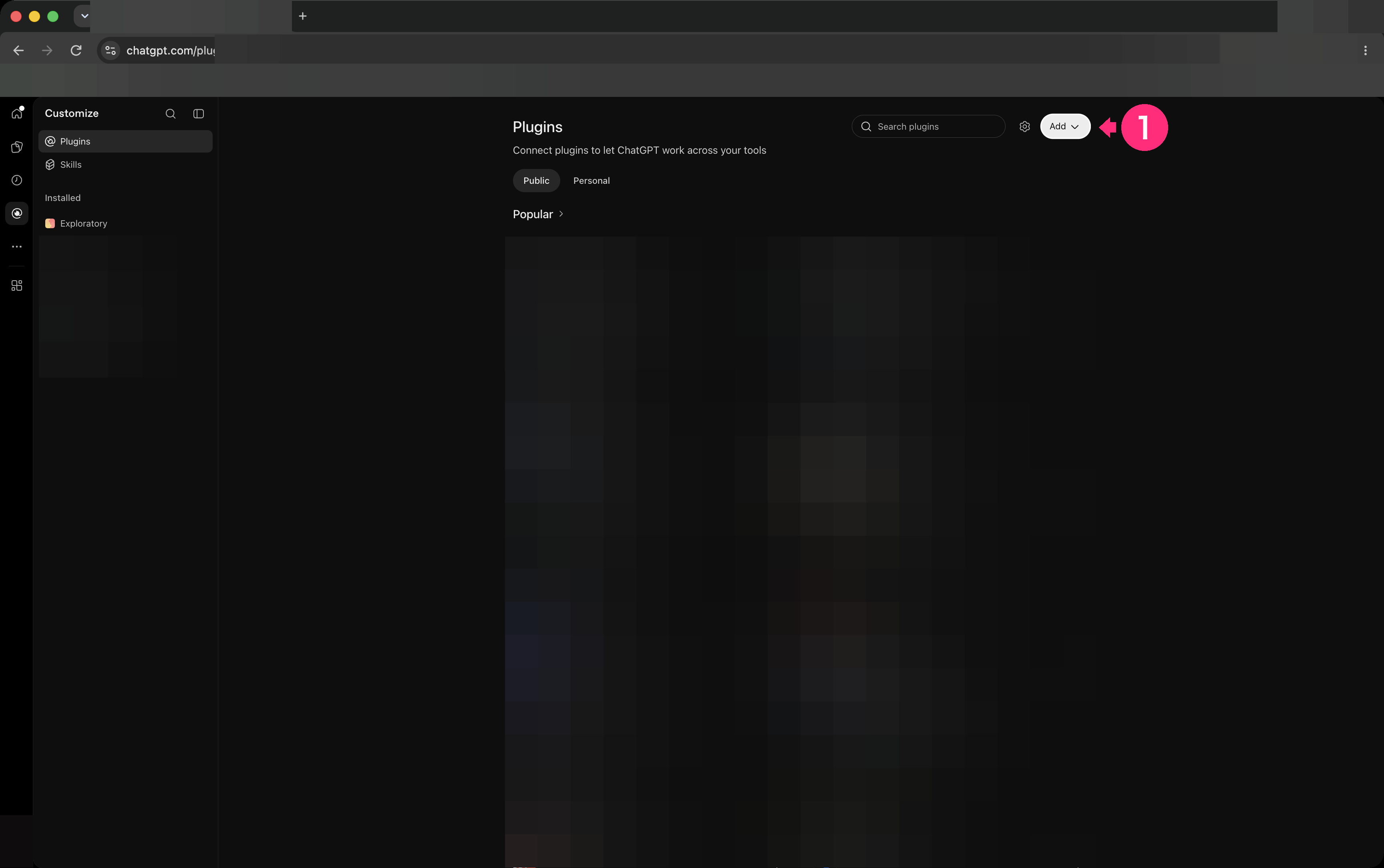
- Choose Add custom MCP server.
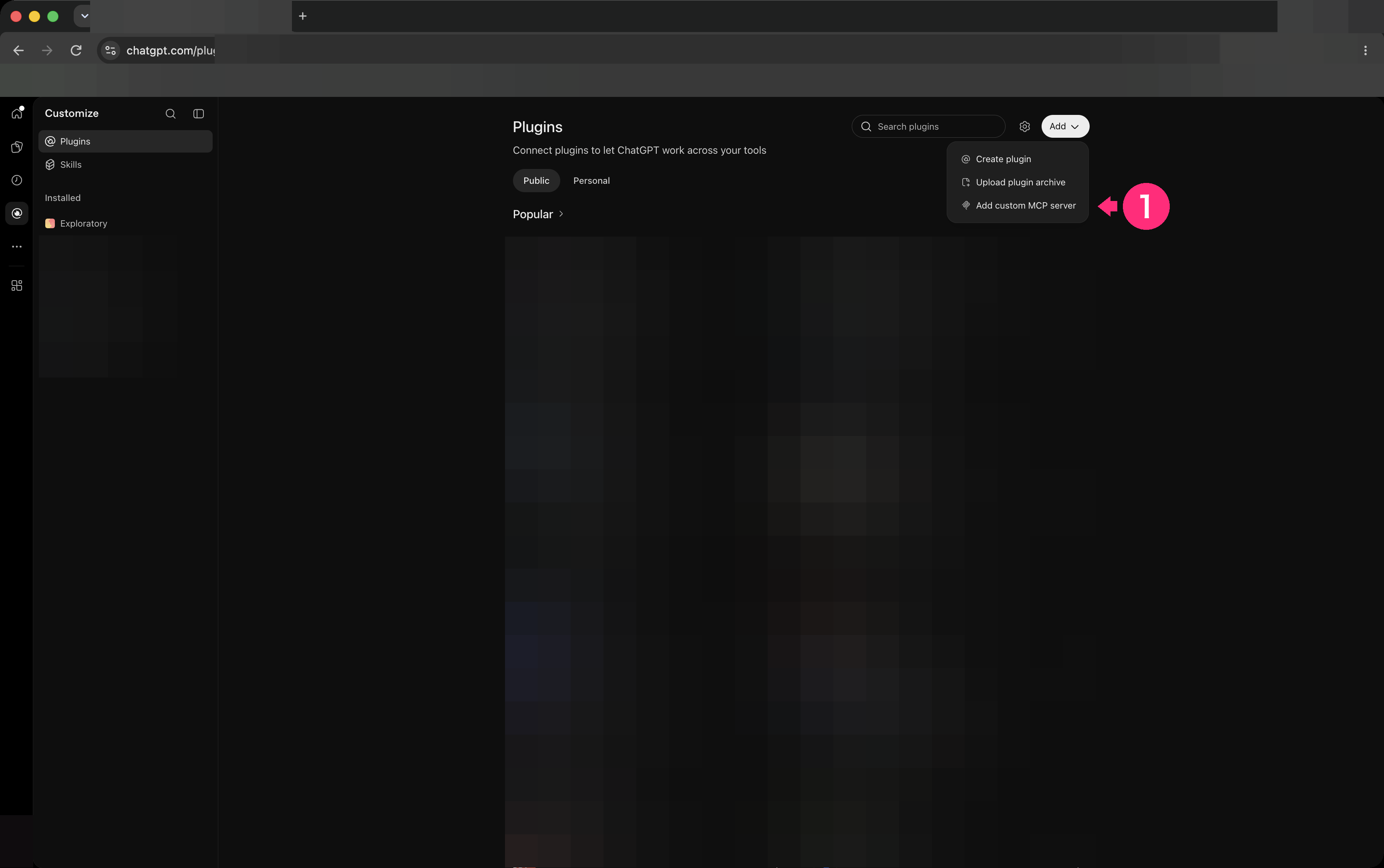
Enter the address
On the Add custom MCP server screen, enter these values. The screen says “Custom MCP servers introduce risk.” Make sure you trust the server before you enter the values.- In Name, enter
Exploratory. - Under Connection, leave Server URL selected. In the URL field, enter
https://exploratory.io/mcp. - Select I understand and want to continue.
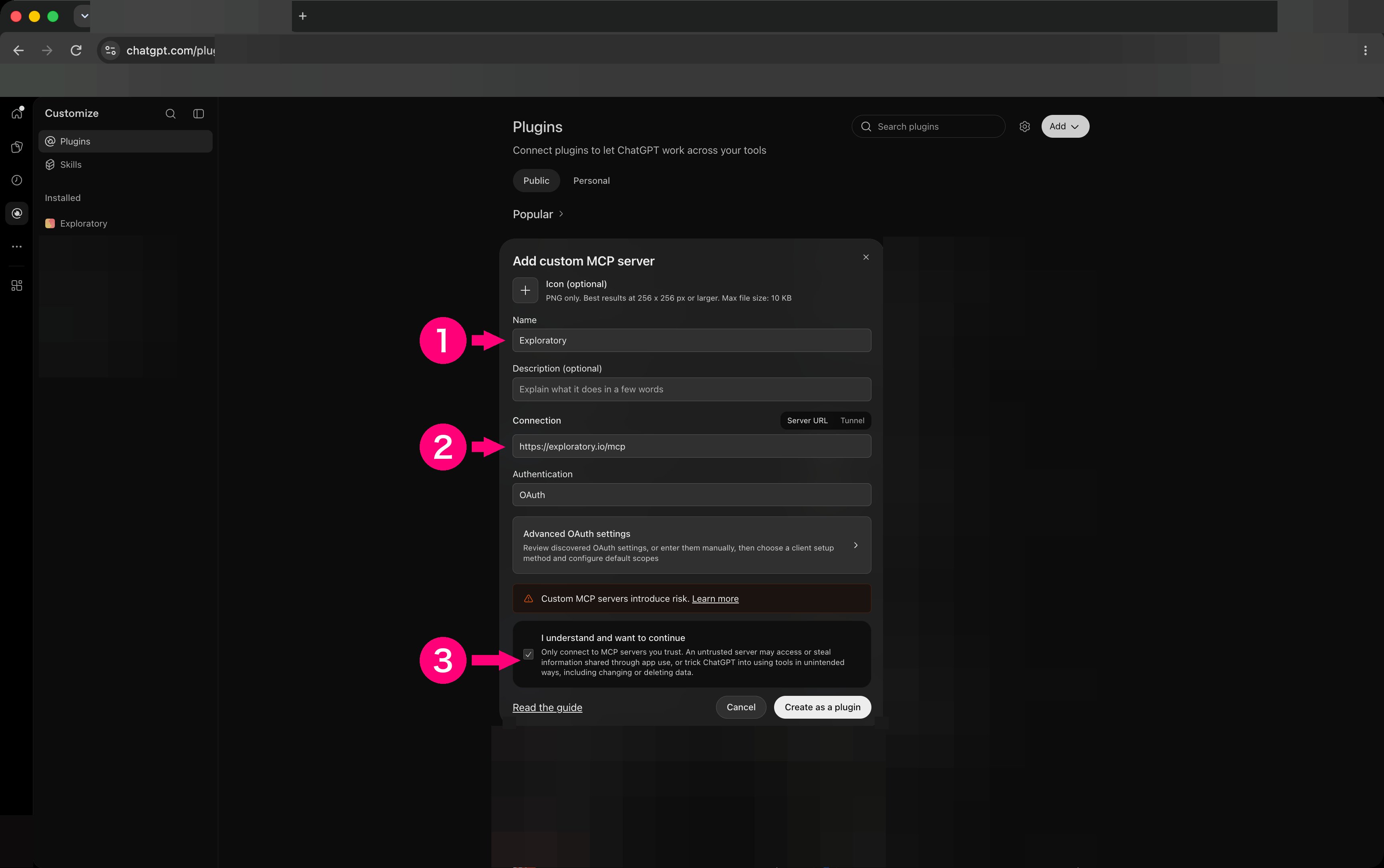
- Check that Authentication is OAuth. There is nothing to change.
- Choose Create as a plugin.
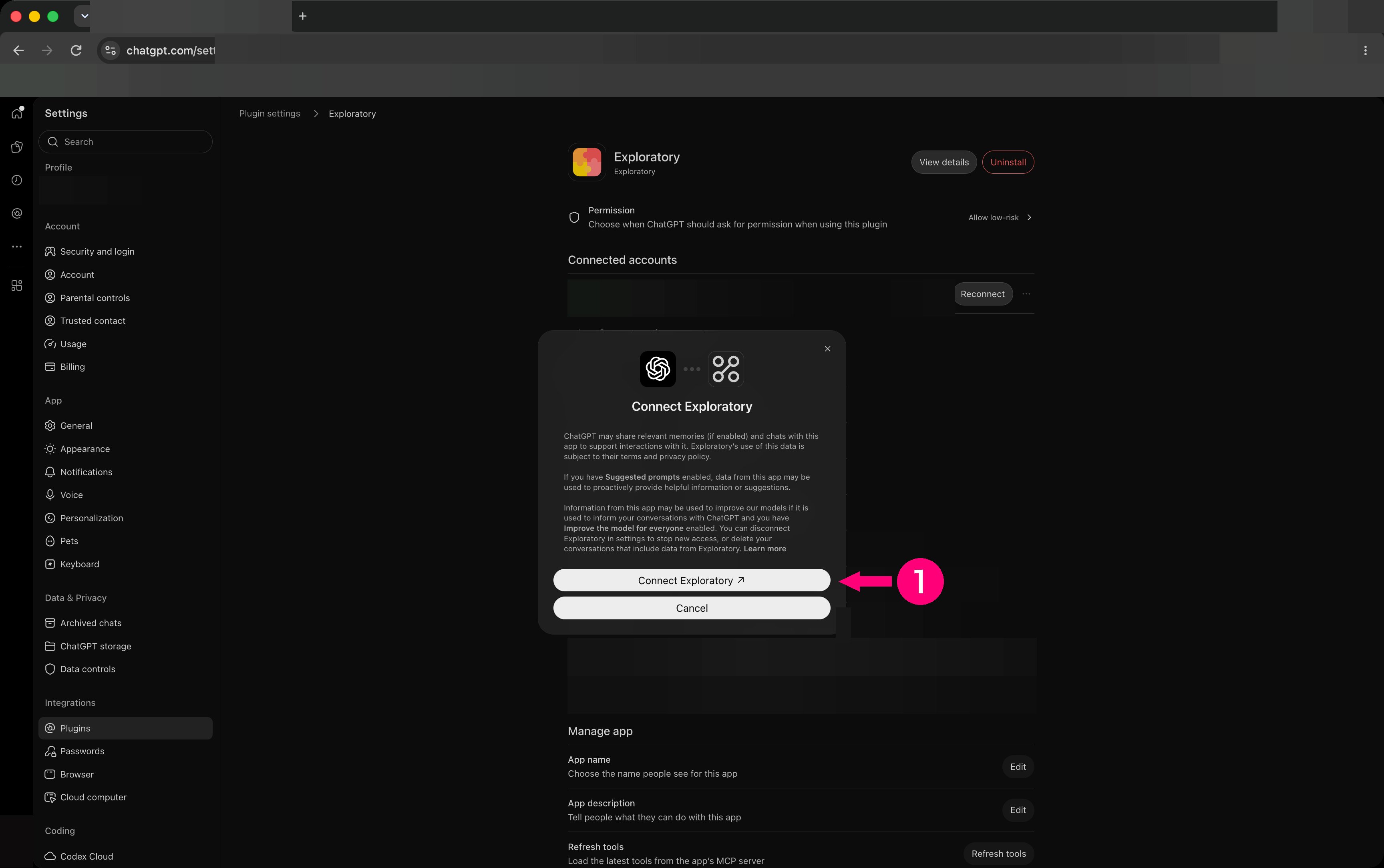
- Choose the Connect Exploratory button.
Approve the access on exploratory.io
Your browser opens exploratory.io. If you are not signed in, sign in first.- On the screen where ChatGPT asks for access, choose Allow.
Check that it is connected
Back in ChatGPT, do this.- Under Installed on the left of Customize, choose Exploratory.
- Check the Exploratory row under Apps.
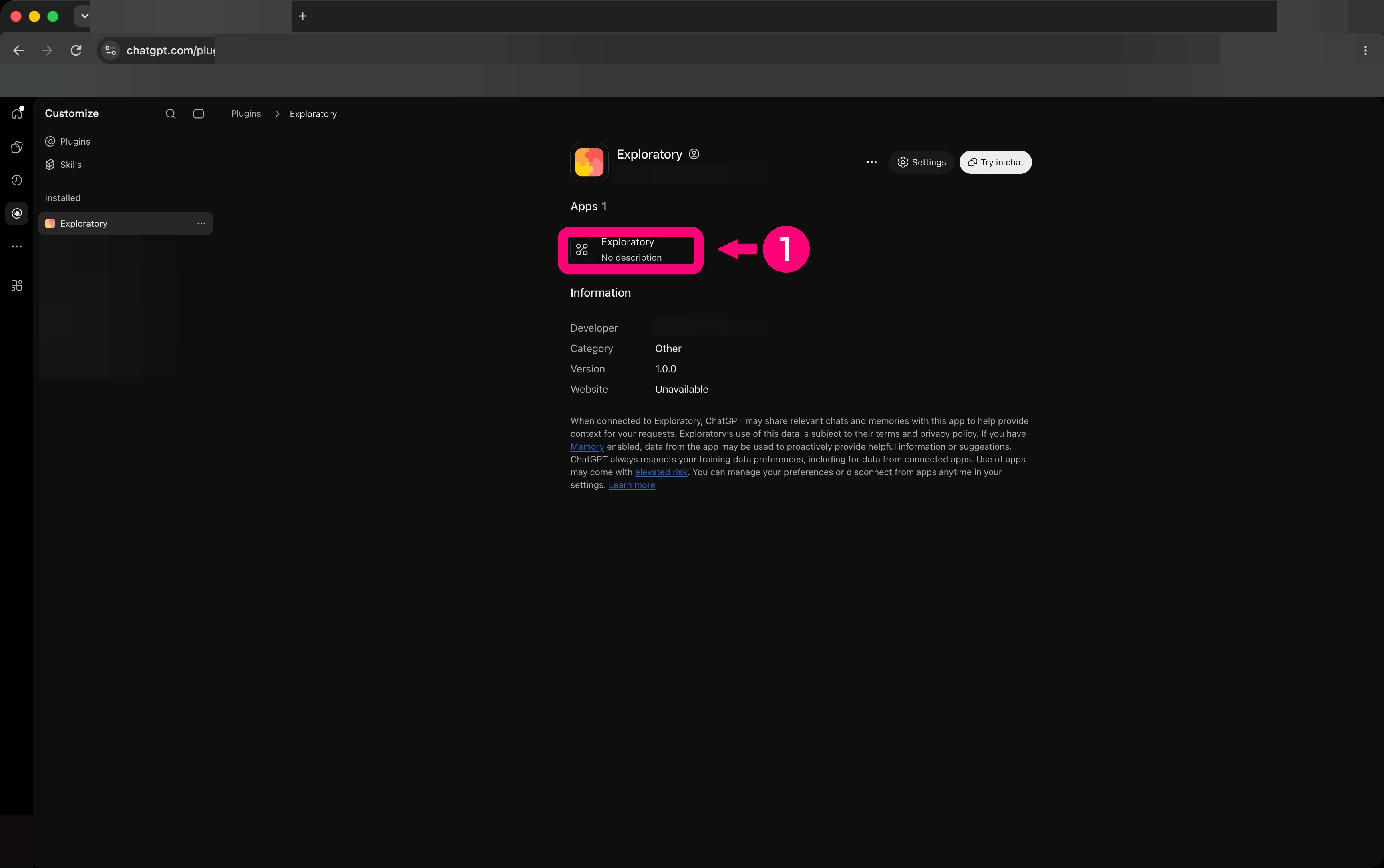
- Choose Try in chat to open a chat.
-
Send this.