
1. Parameters
1.1 Code
To get data from Qunadle, you need to pass Qunadl Code, which consists of Database and Ticker and looks like{database}/{ticker}.
For example, if you want to get Apple’s stock data you need to pass EOD/AAPL as Quandl Code.EOD is database name of End of Day US Stock Prices and AAPL is ticker for Apple,Inc.
To search available database on Quandl, you can use Quandl Data Browser
Stocks
There is a blog post from Quandl that explains API usage for the Stock Data. For example, if you want to getEnd of Day US Stock Prices is EOD.
Commodity
There is a blog post from Quandl that explains API usage for the Commodity Data. For example, if you wanto to get a Gold data from London A.M Fixing, you can useLBMA/GOLD as Quandl Code.
Economic Data
There is a blog post For Economic Data, Qunadl Code consists of{PUBLISHER}/{COUNTRY}_{INDICATOR} fashion.
So if you want to get the Population of China as published by the World Bank, you need to use WORLDBANK/CHN_SP_POP_TOTL as a Quandl Code.
1.2 Format
Wide
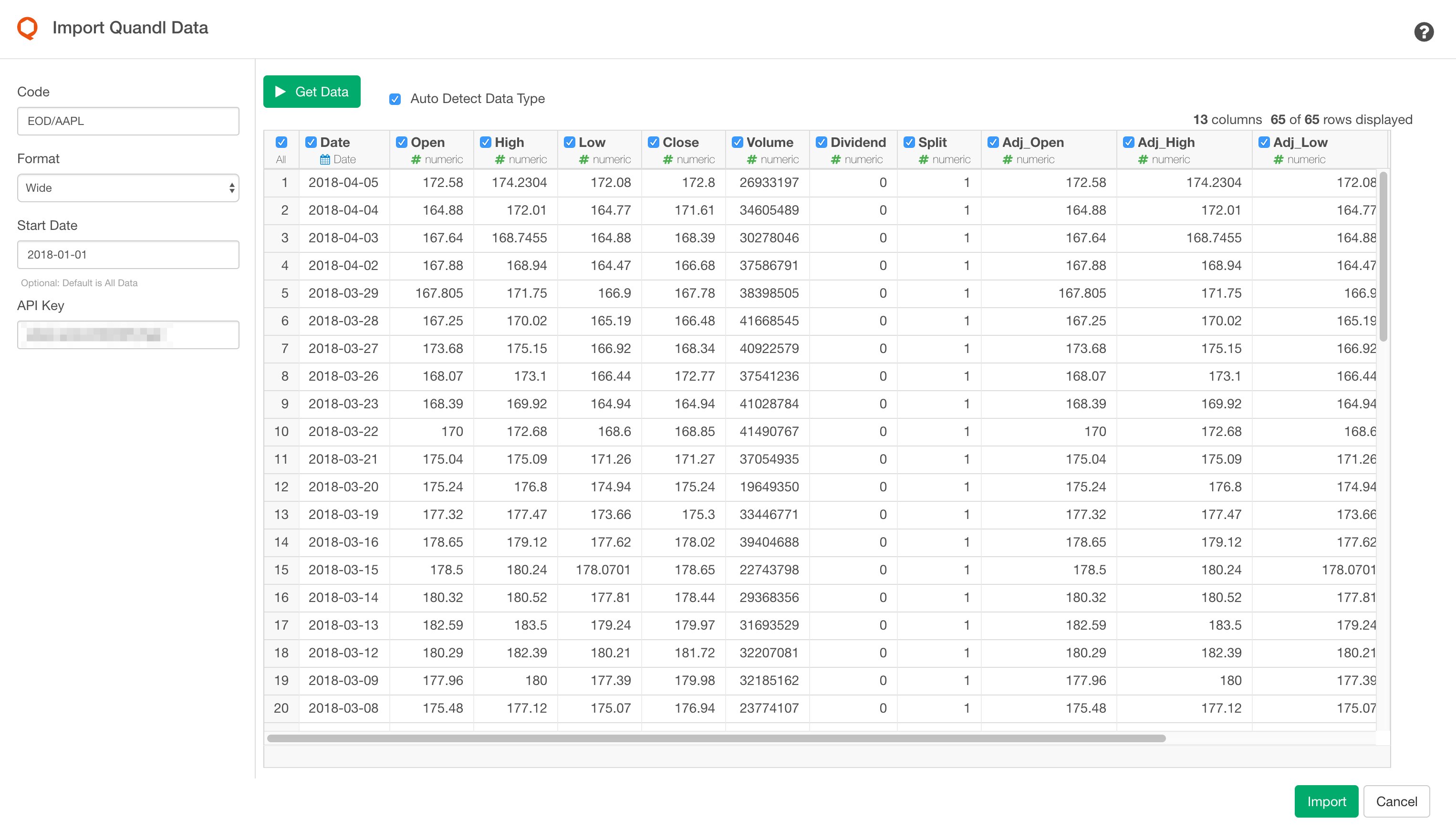
If you selectWide format, you will get columns for each metric. For example, for Stock price data, you’ll get:
- Date
- Open
- High
- Low
- Close
- Volume
- Dividend
- Split
- Adj_Open
- Adj_High
- Adj_Low
- Adj_Close
- Adj_Volume
Long
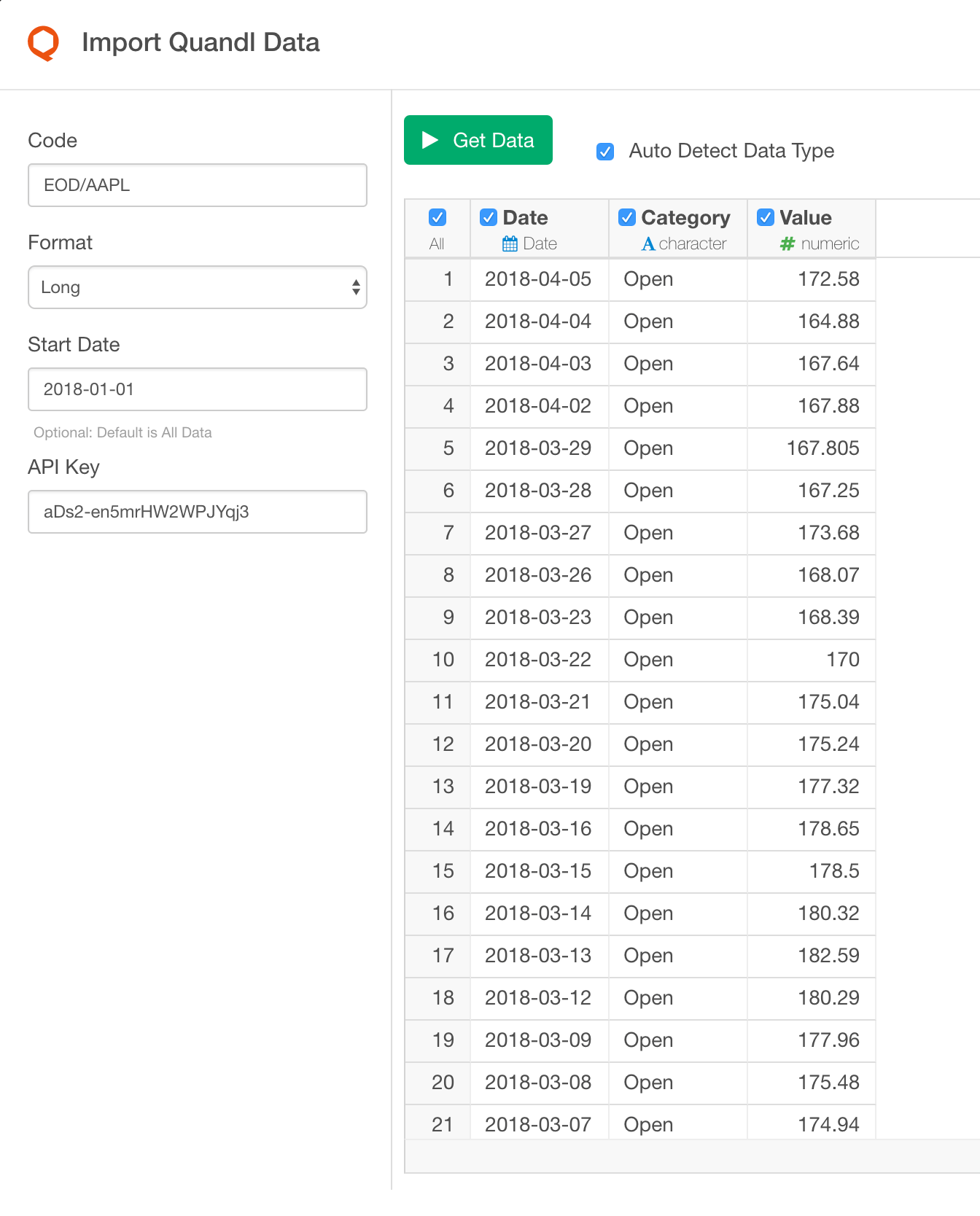
If you selectLong format, you will get date and category(key)/value columns like below (for Stock Price case)
Category holds value type like Open, High, Low, Close etc.
- Date
- Category
- Value
1.3 API Key
To use Quandl API, you need to sign up (it’s free) to Quandl Then after you get your API key, please set the API Key to the new Input Field on the Import Dialog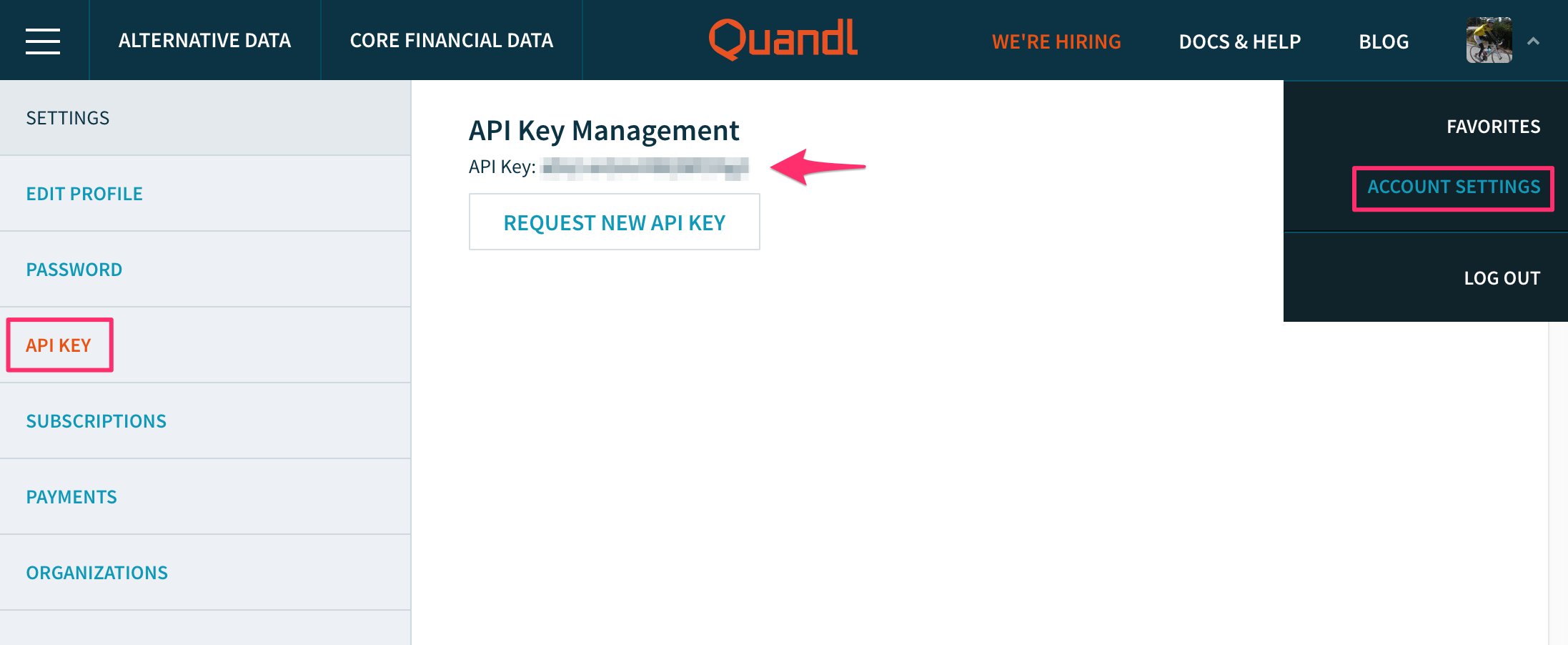
2. Import
Once you confirmed the query result, clickImport button to import the data as a data frame in Exploratory.