1. Select Google Spreadsheet Data Menu
Click ’+’ button next to ‘Data Frames’ and select ‘Import Cloud Apps Data’.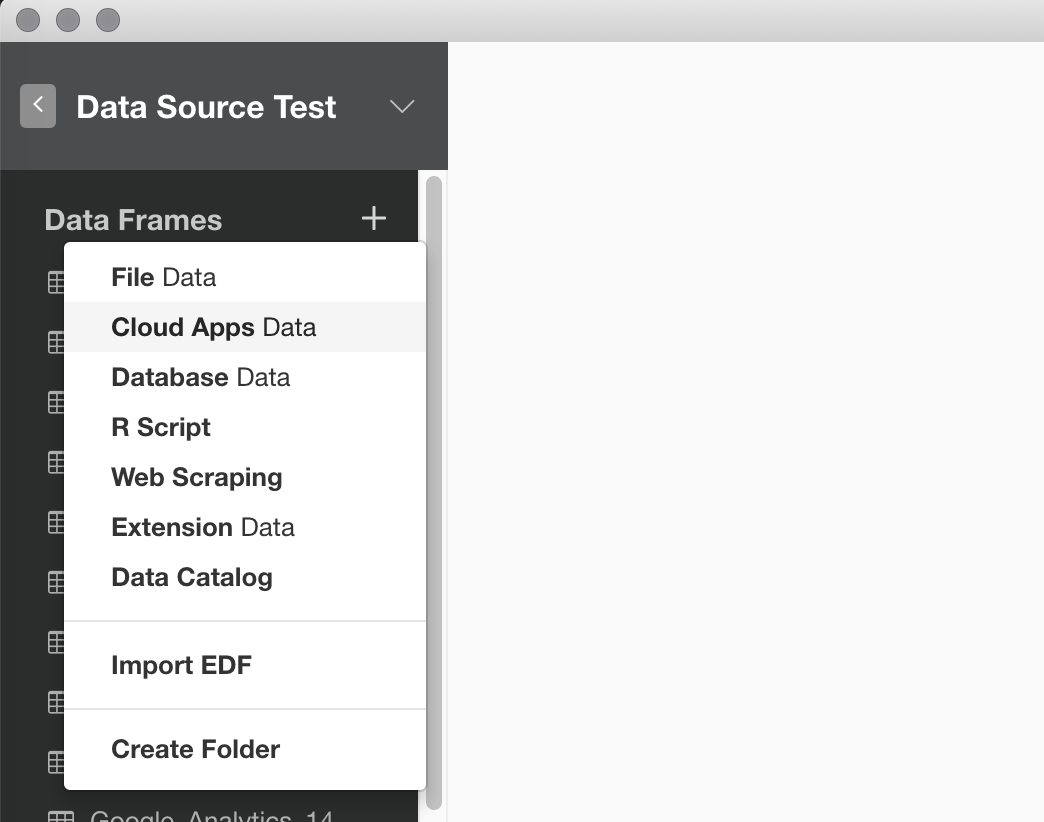
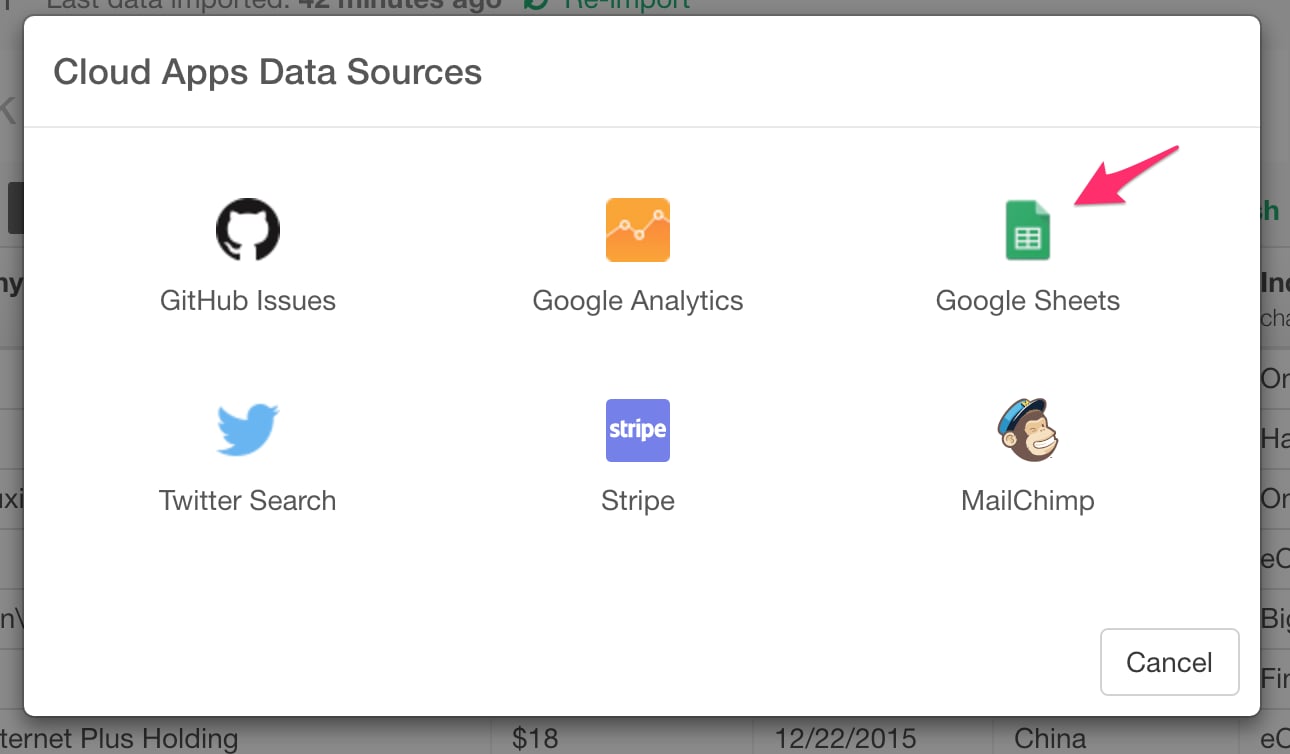
2. OAuth Setting
Create a connection following this instruction.3. Set Parameters
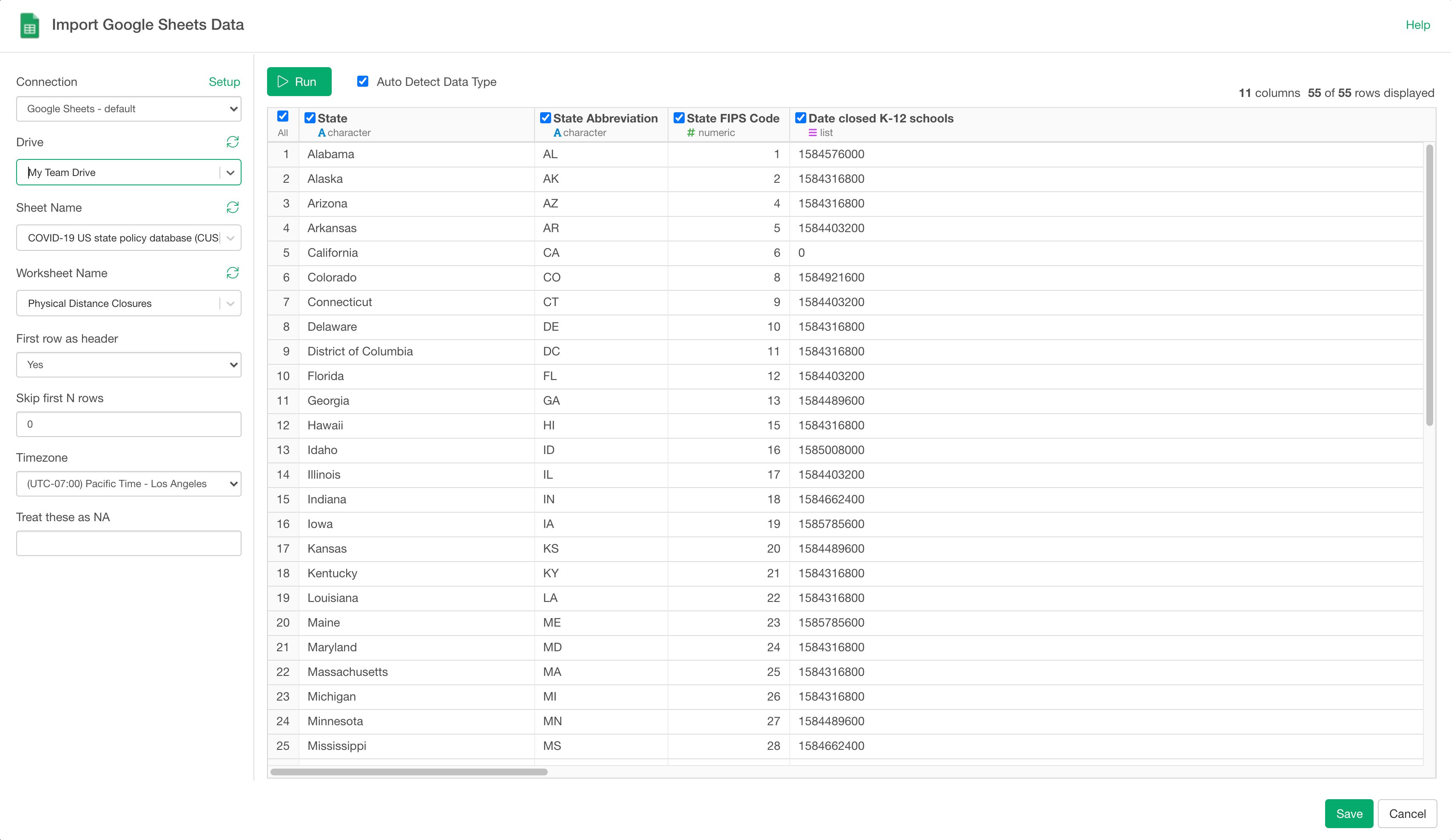
- Select a Drive if you have Shared Drives. If you don’t have Shared Drives, it only shows defualt drive which is My Drive.
- Select Google Spreadsheet name from the dropdown menu
- Select Worksheet name from the dropdown menu
- Set parameters for how to read the data.
- First row as header - Set Yes if the first row is the header row.
- Skip first N rows - Number of lines to skip before reading data
- Timezone - Timezone you want to use for the POSIXct columns
- Treat these as NA - Character vector of strings to interpret as missing values.