Custom Model Function Overview
build_model function defined in exploratory R package and functions in broom package make it easy to use model functions in Exploratory. Steps to use model functions are explained below using svm function from e1071 packages as an example.Model Class Name
First, we need to determine an R class name for the model. It is the class name of the object that is returned by the model building function. In this case, it is “svm”. (This is the model class name used by e1071 package we are making use of.)Model Building Function
Next, we need to define a model building function. Model building function needs to take following arguments.- formula : Formula that defines what to predict from which predictors.
- data : Training data for building the model.
Install R Package
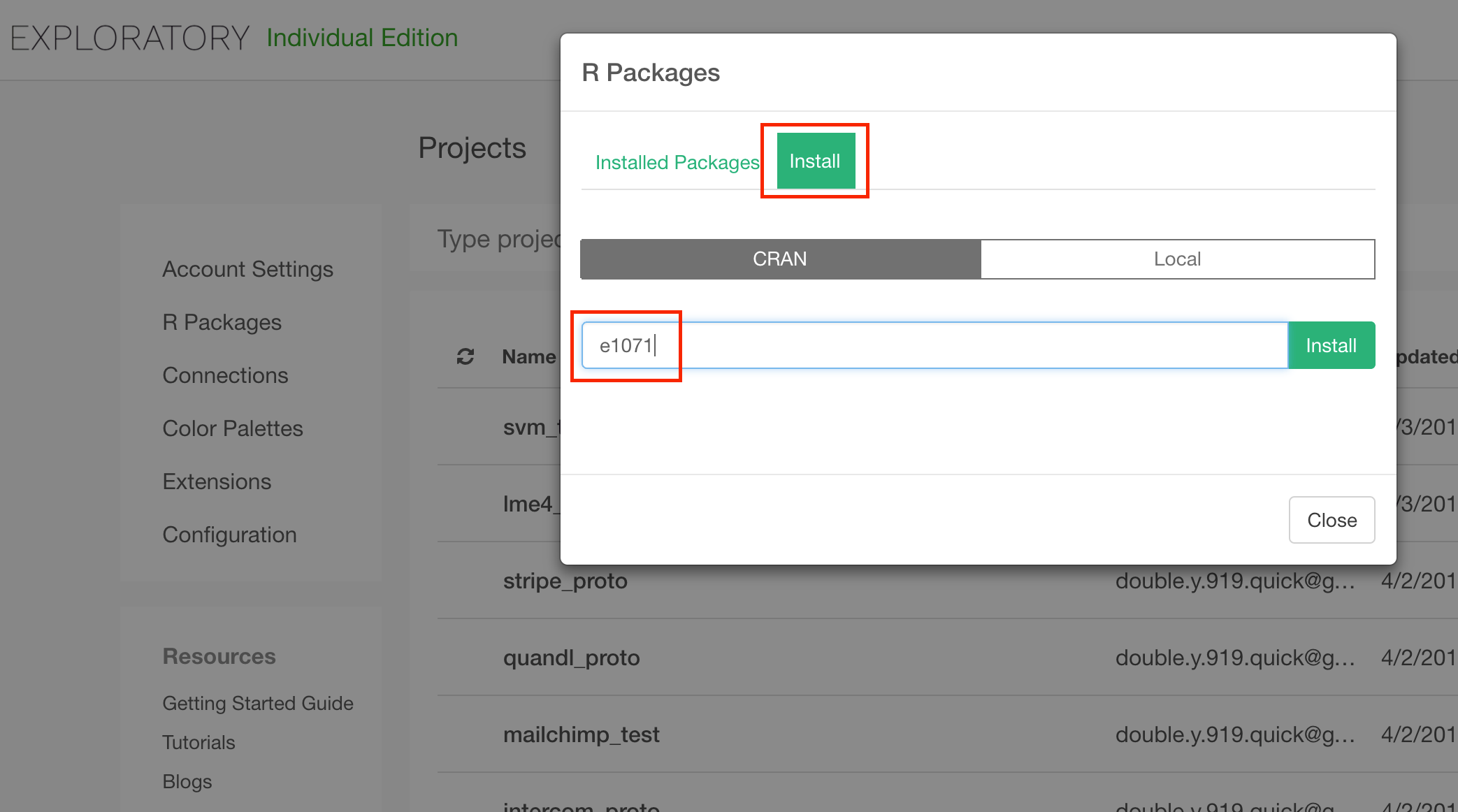
Instead of defining model building function, we use e1071’s svm function as the model building function. We need to install e1071 package to do so. There are many R packages with model building functions in this format, which you can make use of as they are, just like e1071. The package you need may or may not be installed already as part of installation of Exploratory. Packages already installed can be checked from project list view.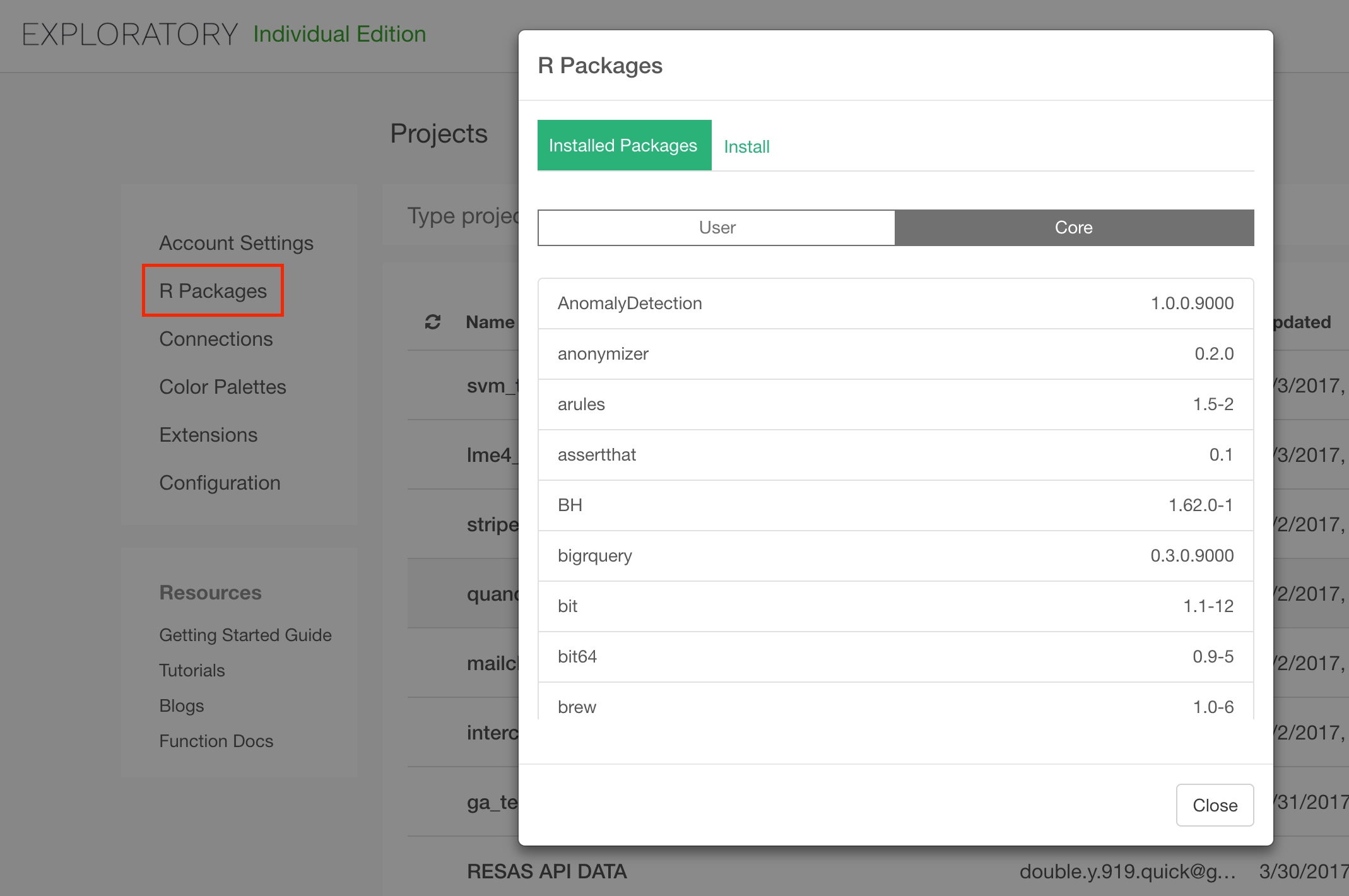
Define Functions to Show Model Summary
Exploratory shows summary of model in table format when it’s created. Let’s define functions to extract the model summary info from the model object as data frames. tidy and glance function from broom package are the framework we make use to extract model summary as data frames. To make use of this framework for a model object class (such as “svm”), the functions for the model object class has to be defined. For some models, those functions are already defined. Such models are listed in the broom github page. Since svm is not one of them, let’s define functions for it. You can define those functions in Scripts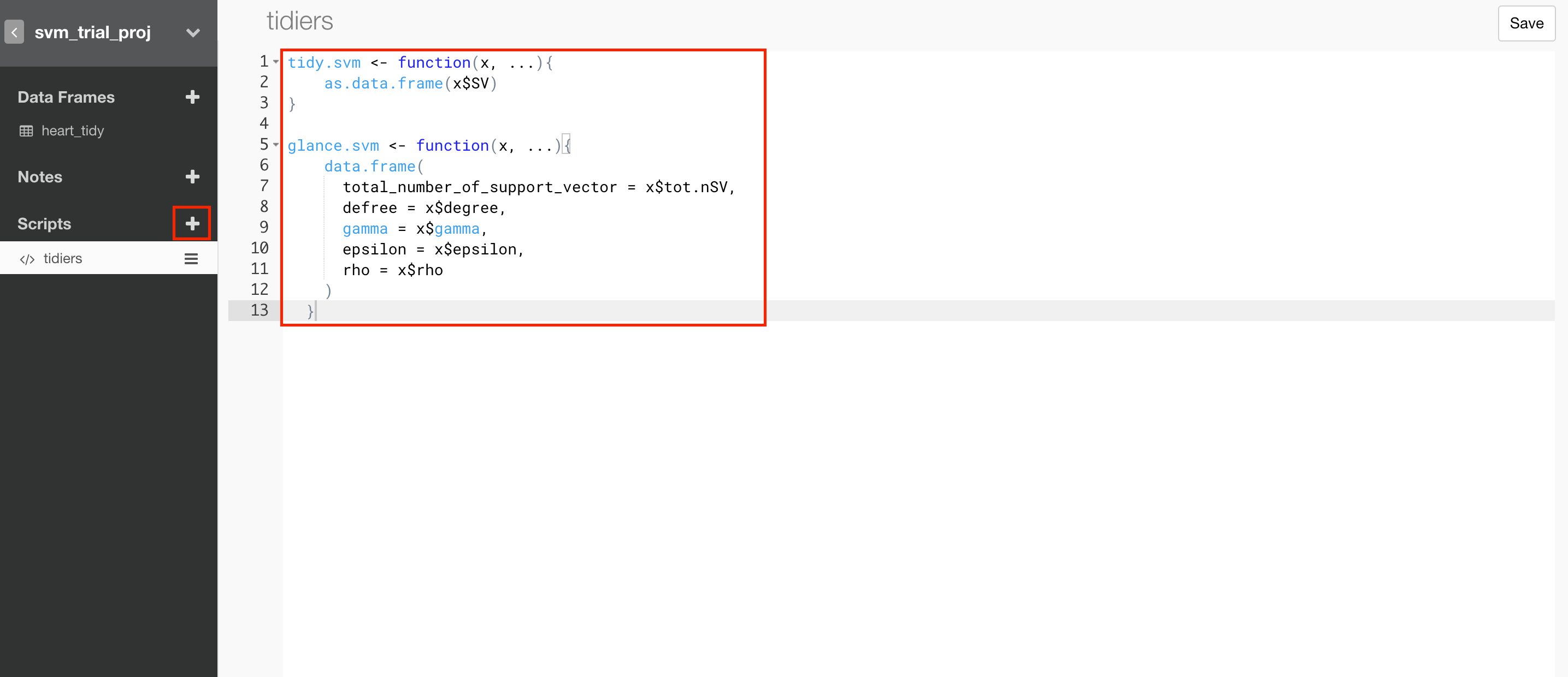
- x is the model object and these functions are expected to return a data frame.
- Usually, glance returns one row data frame with statistical values and tidy returns data frame with multiple rows, but it is just a conventional rule.
...argument is necessary to avoid errors even if you don’t really need extra arguments.
Apply Model Function to a Data Frame
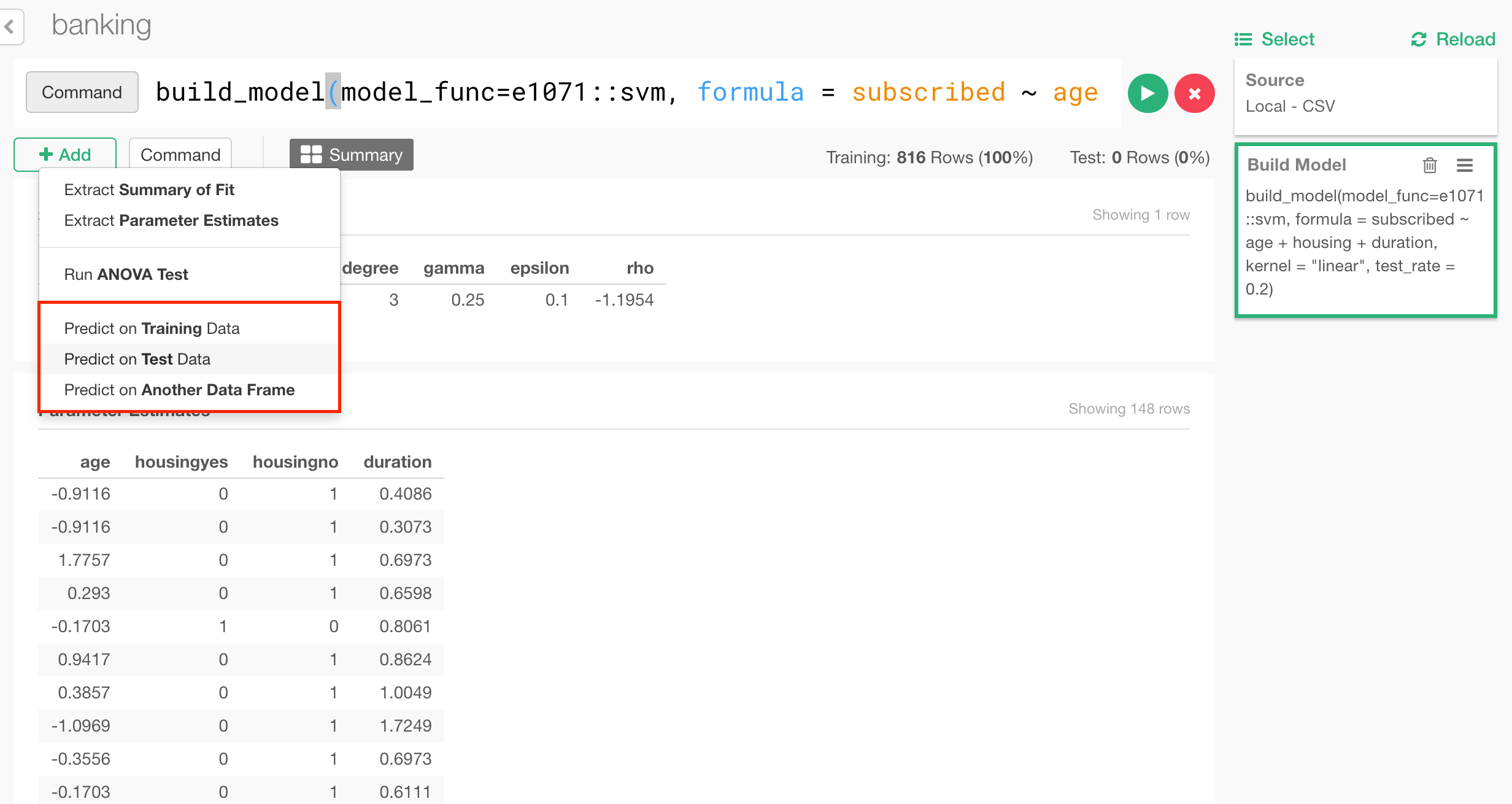
You can now call model function from command line mode. Please open the data frame you want to apply the model function. Here, svm is applied to this data. You can run command below to this data now.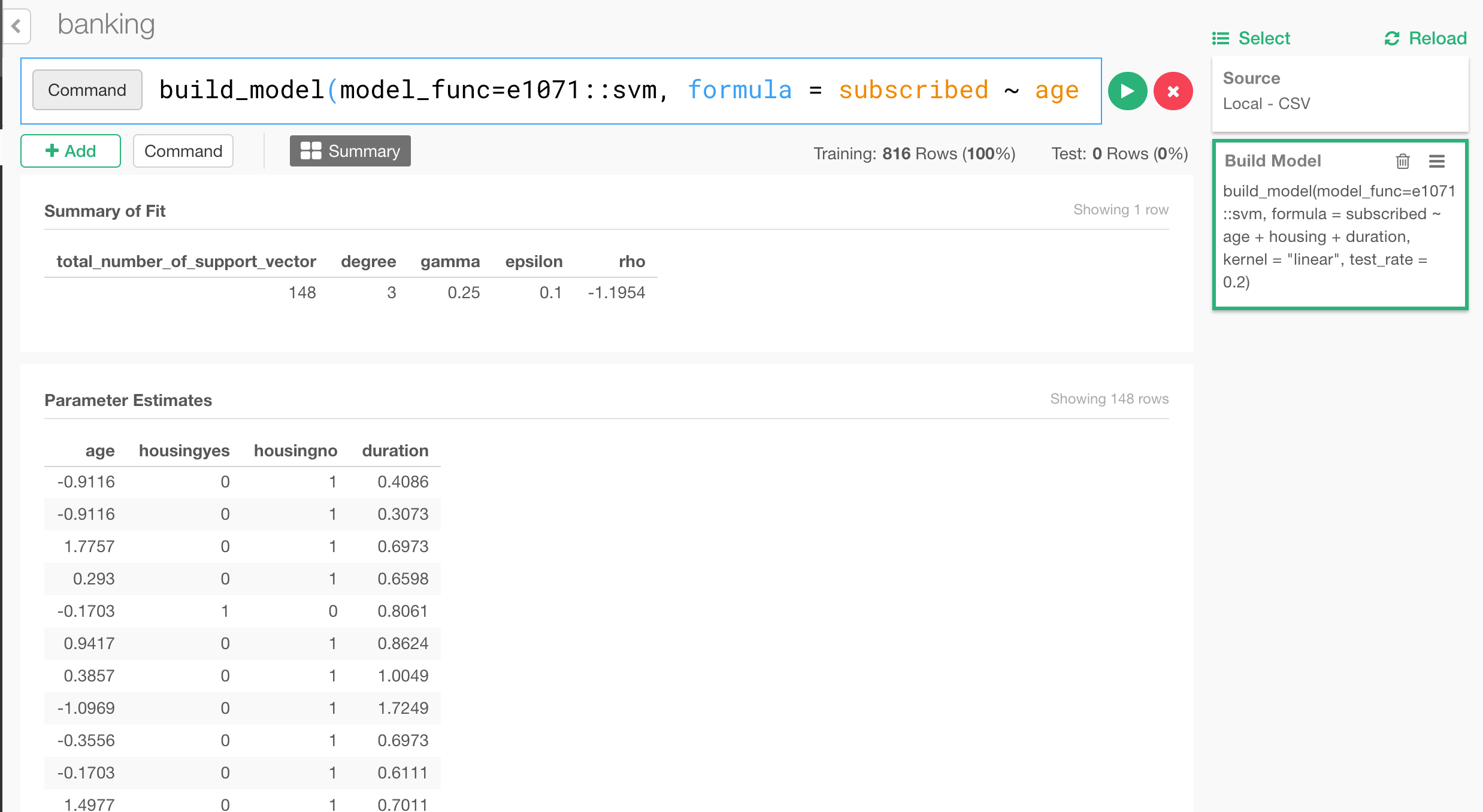
Use the Model for Prediction
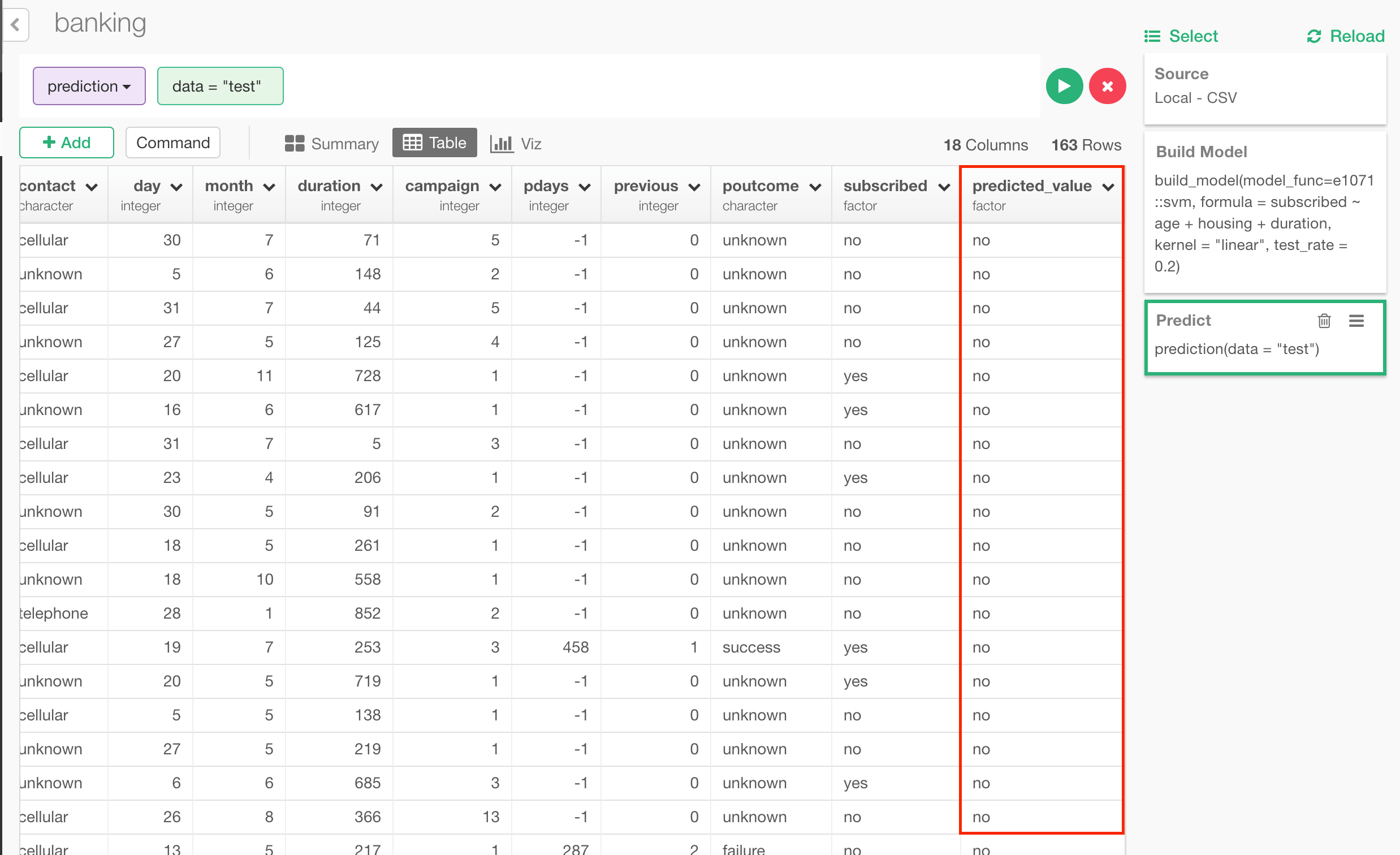
You can also use the model for prediction. By defining augment function for the models, which is also from broom package. You can define it like this for svm for example.