
Introduction
Cluster data by K-means algorithm. It assigns labels to data, so that similar data will be in same labels.How to Access?
There are two ways to access. One is to access from ‘Add’ (Plus) button.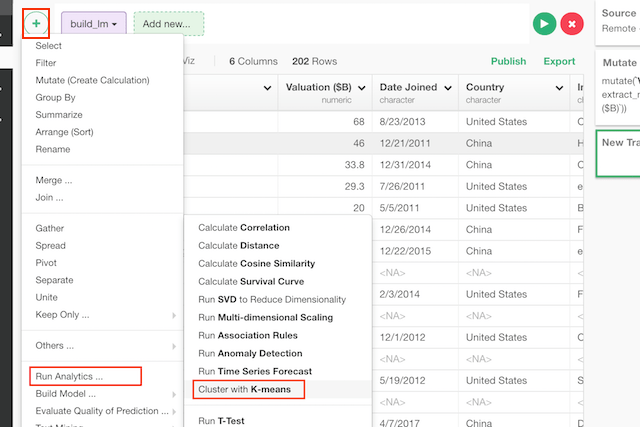
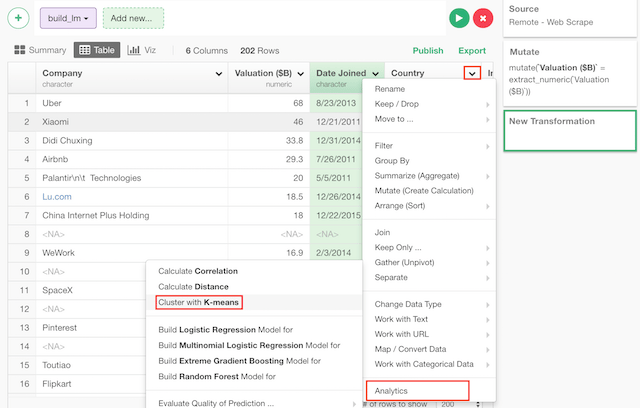
How to Use?
Calculate Cluster by Multiple Columns (Variables)
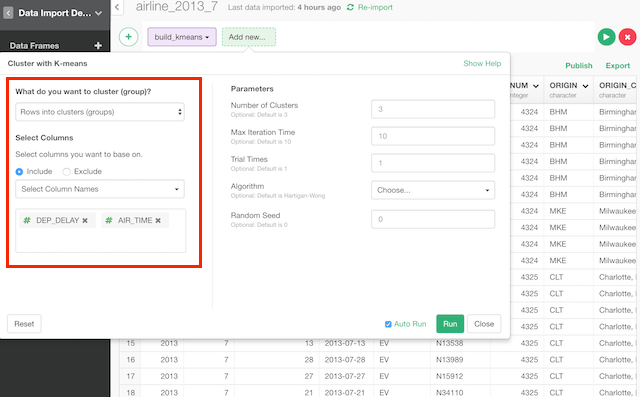
Column Selection
There are many ways to select columns. You can choose- Select Column Names - Listing up columns selecting one by one
- Range of Column Position - Select columns between columns chosen as Start and End
- Starts with - Select columns whose names start with a certain text
- Ends with - Select columns whose names end with a certain text
- Contains - Select columns whose names contain a certain text.
- Matches Regular Expression - Select columns whose names contain a certain text.
- Range of Suffix (X1, X2…) - Select columns names with prefix and numbers.
- Everything - All columns.
- All Numeric Columns - All numeric columns.
Cluster Categories
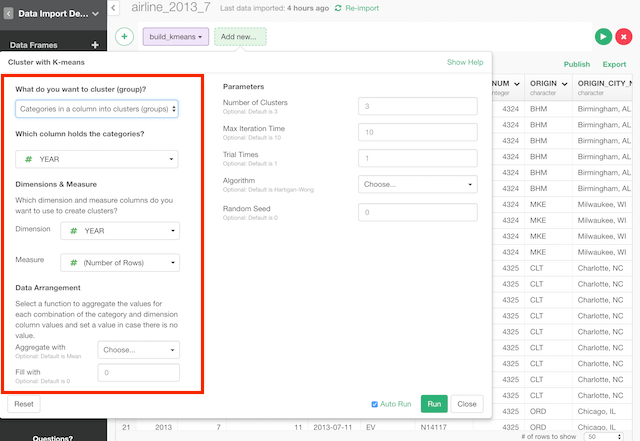
Column Selection
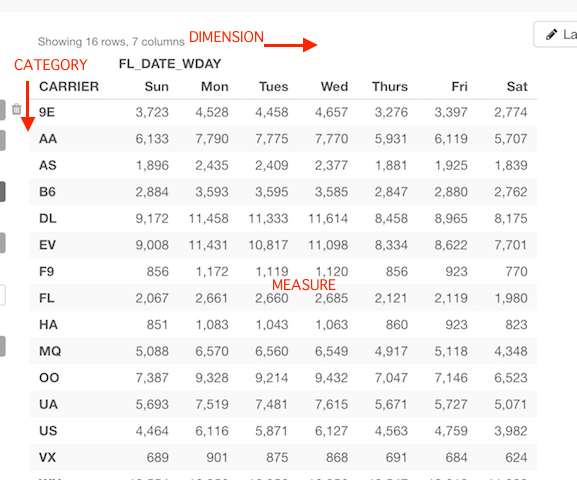
Category, dimension and measure are like this.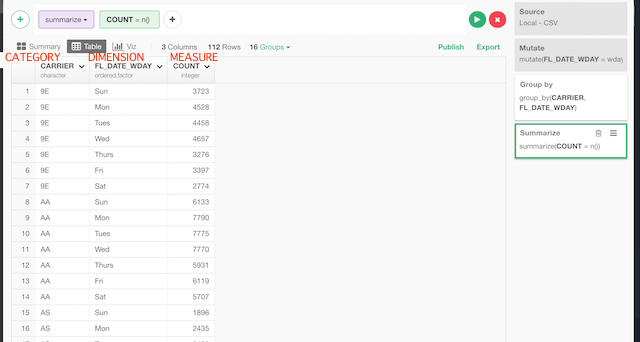
Parameters
- Number of Clusters (Optional) - Set an integer number to decide how many clusters (groups) to build.
- Max Iteration Time (Optional) - The default is 10. The maximum number of cluster update iteration.
- Trial Times (Optional) - The default is 1. This works only when the centers argument is a number. How many random initial configuration should be tried. The best result is chosen as output.
- Algorithm (Optional) - The default is Hartigan-Wong. This can be
- “Hartigan-Wong”
- “Lloyd”
- “Forgy”
- “MacQueen”
- Random Seed (Optional) - The default is 0. This is random seed. You can change the result if you change this number.